Summary
Capturing screenshots of active dropdown menus, which often disappear with standard tools, can be achieved through specific techniques. One method utilizes the Snipping Tool: open it, press Esc, then expand the desired dropdown and press Ctrl+PrtSc to initiate the capture. Alternatively, a workaround involves using Paint; open Paint, expand the dropdown, press Alt+PrtSc to copy the active window, and then paste it into Paint for subsequent cropping or editing. These approaches provide reliable ways to document dynamic UI elements for proof or reference.
作为一名 IT 专业人员,我们经常需要截取我们正在处理的工作的屏幕截图,以证明我们正在做什么以及我们为什么要这样做。屏幕截图会给其他人一个很好的感觉。您可能熟悉使用不同的工具(例如 snagit、截图工具或 Windows PrtSc 按钮)进行屏幕截图。但是您知道如何截取下拉菜单的屏幕截图吗?
在这里,我们将向您展示如何使用 Windows 7 提供的截图工具截取下拉菜单的屏幕截图。以下是步骤:
1. 打开截图工具并按 Esc
2. 移动到下拉菜单并展开它
3. 然后按 Ctrl+PrtSc,您现在将能够截取下拉菜单的屏幕截图。
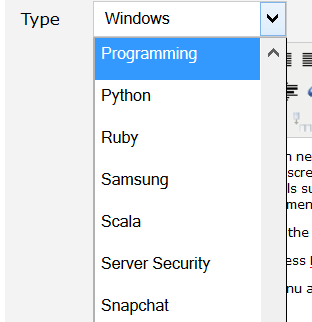
另一种解决方法是使用 Windows 提供的画图。步骤如下:
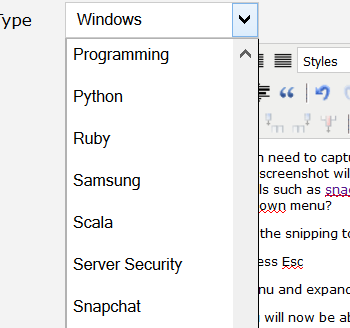
1. 在 Windows 上打开画图
2. 移动到下拉菜单并展开它
3. 按 Alt+PrtSc 并将其粘贴到画图中
4. 然后您可以使用任何屏幕截图捕获工具或图片裁剪工具


No comment for this article.