
ก่อนหน้านี้ เราได้ทำการ ติดตั้ง PHP 8 ใน WAMP (อัปเกรดจาก PHP 5 เป็น PHP 8) เสร็จเรียบร้อยแล้ว ซึ่งใช้งานได้ดี จนกระทั่งเมื่อไม่นานมานี้ เราสังเกตว่า curl_init() ไม่ทำงานระหว่างการย้ายโค้ดจาก PHP 5 เป็น PHP 8 เมื่อตรวจสอบแล้ว พบว่าส่วนขยาย curl ไม่ได้ถูกโหลดอย่างถูกต้อง แม้ว่าจะเปิดใช้งานส่วนขยายใน php.ini แล้วก็ตาม
ในโพสต์นี้ เราจะแสดงวิธีเปิดใช้งาน curl ใน PHP 8 ด้วย WAMP โดย PHP version ที่เราใช้คือ PHP 8.1.31
ในการเปิดใช้งาน curl ใน PHP 8 เราต้องแก้ไขไฟล์ php.ini ลองค้นหา curl ใน php.ini คุณควรยืนยันว่าส่วนขยาย curl ถูกเปิดใช้งานแล้ว
extension=php_curl.dllหรือถ้าคุณใช้ PHP 8 ให้ยืนยัน
extension=curlตรวจสอบด้วยว่า extension_dir ถูกตั้งค่าอย่างถูกต้อง
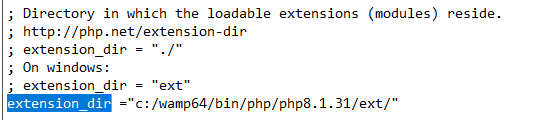
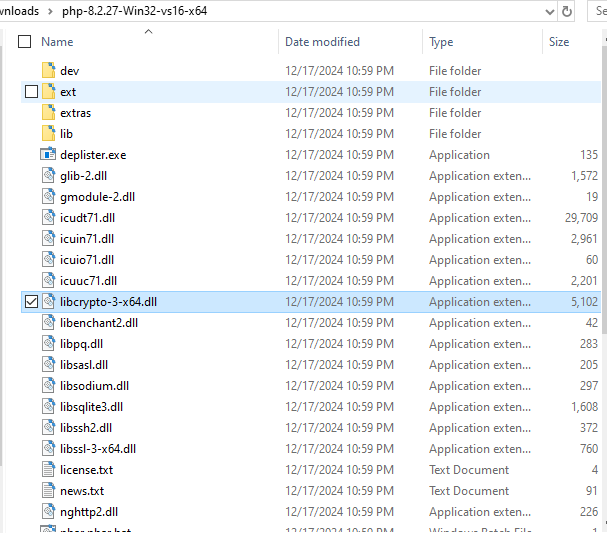
หลังจากนั้น โปรดดาวน์โหลด PHP 8.2 หรือเวอร์ชันที่ใหม่กว่า เนื่องจากปัญหาความเข้ากันได้บางอย่างใน PHP 8.1 (เพียงเพื่อคัดลอก dll บางตัว) และโปรดคัดลอก dll ด้านล่างไปยังโฟลเดอร์ bin ของ Apache
- libcrypto-3-x64.dll
- libssh2.dll
- nghttp2.dll
โฟลเดอร์ bin ของ PHP 8.2 และเวอร์ชันที่ใหม่กว่า
โฟลเดอร์ bin ของ Apache

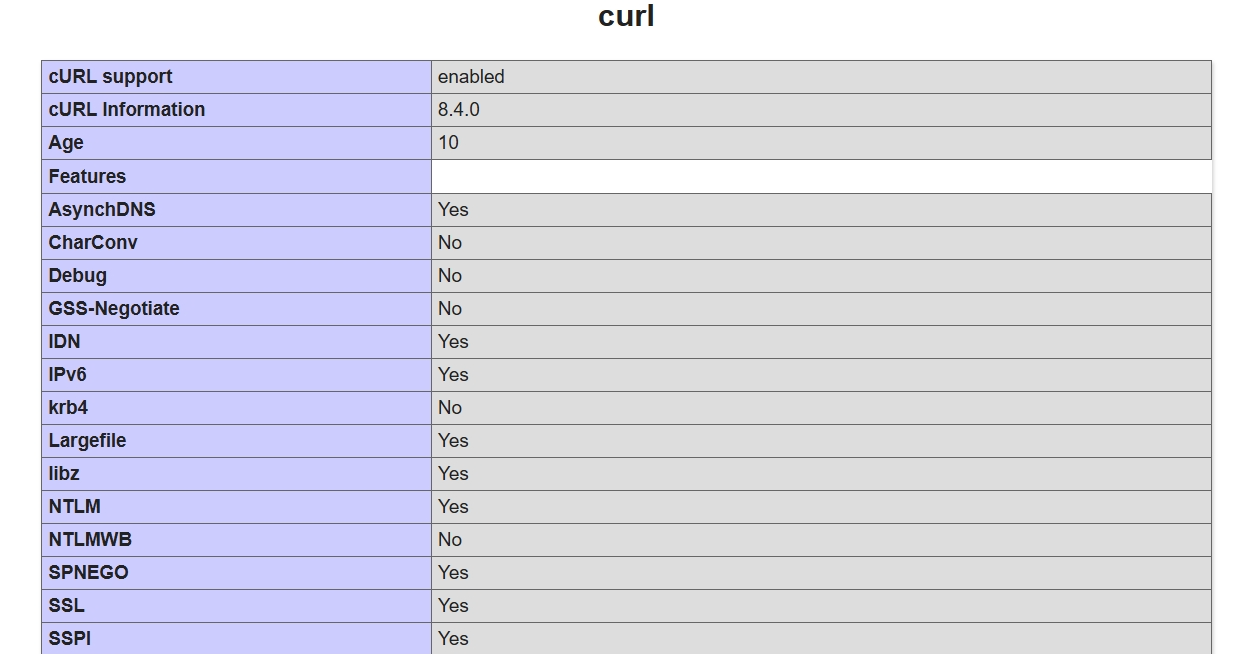
จากนั้น รีสตาร์ทบริการทั้งหมด แล้วคุณจะเห็นว่า curl ถูกเปิดใช้งาน หากคุณตรวจสอบผลลัพธ์ของ phpinfo()

No comment for this article.