Enable curl in PHP 8.1 with WAMP

English 简体中文 繁体中文 ภาษาไทย Tiếng Việt
Summary

Enabling cURL in PHP 8.1 with WAMP often encounters issues where `curl_init()` fails despite the extension being enabled in `php.ini`. To resolve this, developers should first confirm `extension=php_curl.dll` (or `extension=curl` for PHP 8) and `extension_dir` are correctly configured. A critical step involves downloading a PHP 8.2 or later version to obtain specific DLLs. Copy `libcrypto-3-x64.dll`, `libssh2.dll`, and `nghttp2.dll` from the newer PHP version's `bin` folder into the Apache `bin` directory. Finally, restart all WAMP services to activate cURL, which can then be verified via `phpinfo()`.

先前,我們已經完成了在WAMP中安裝PHP 8(從PHP 5升級到PHP 8)。 一切運作正常,但最近我們注意到在從PHP 5遷移到PHP 8的過程中,curl_init()無法正常運作。經過檢查,我們發現curl擴充功能未正確載入,即使該擴充功能已在php.ini中啟用。

在這篇文章中,我們將展示如何在WAMP中啟用PHP 8的curl。 我們使用的PHP版本是PHP 8.1.31。

要在PHP 8中啟用curl,我們需要修改php.ini檔案,嘗試在php.ini中搜尋curl,您應該確認curl擴充功能已啟用。

extension=php_curl.dll

或者,如果您使用的是PHP 8,請確認

extension=curl

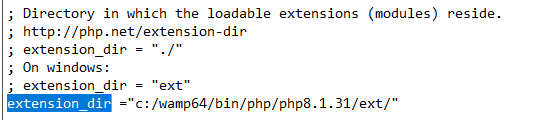
另請檢查extension_dir是否已正確設定。

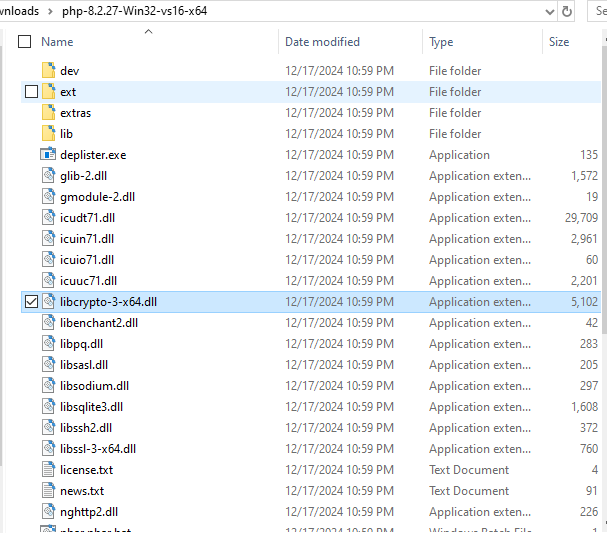
之後,請下載PHP 8.2或更高版本,因為PHP 8.1存在一些相容性問題(僅用於複製一些dll),並請將以下dll複製到apache bin資料夾。

  • libcrypto-3-x64.dll
  • libssh2.dll
  • nghttp2.dll

PHP 8.2及更高版本的bin資料夾

Apache bin資料夾

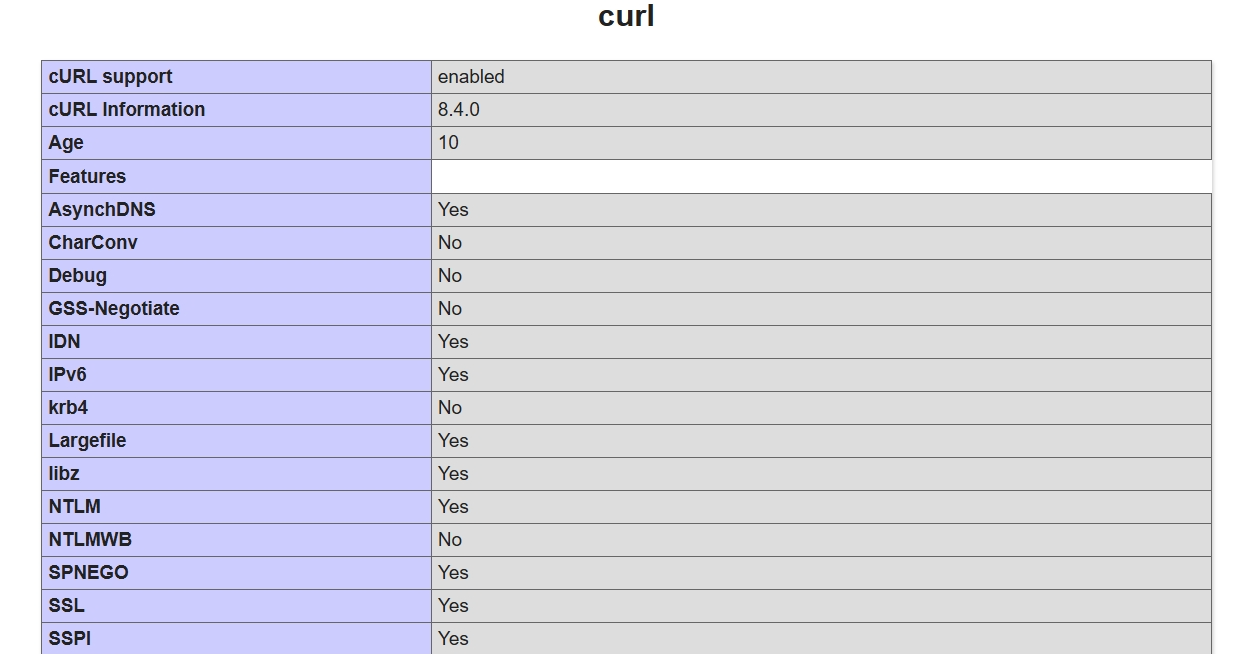
然後重新啟動所有服務,如果您檢查 phpinfo()輸出,您應該會看到curl已啟用
WAMP SOLUTION CURL UNDEFINED TROUBLESHOOTING PHP 8 CURL_INIT

  RELATED

  COMMENTS

0

No comment for this article.