Install Google services on Huawei MatePad

English 简体中文 ภาษาไทย Tiếng Việt
Summary

Huawei devices, affected by trade restrictions, typically lack Google Play services, preventing access to the Android app ecosystem. A multi-step workaround allows installation, beginning with using Hisuite on a PC to restore a specific GMS installer package onto the device. Once transferred, users launch the GO Google Installer on the Huawei device to deploy the Google service framework, Play services, and Play Store, followed by an activation step and device restart. The final crucial step involves manually enabling all necessary permissions for Google Play services and Play Store within the device settings, thereby restoring full functionality for app downloads.

Kể từ khi chiến tranh thương mại giữa Trung Quốc và Mỹ nổ ra, rất nhiều dịch vụ không được phép sử dụng trên các thiết bị Huawei như một loạt các thủ tục do chính phủ Mỹ thực thi để hạn chế Trung Quốc. Các dịch vụ này bao gồm các dịch vụ Google Play được sử dụng để tải xuống các ứng dụng Android trên các thiết bị Android. Điều này đã gây ra rắc rối lớn cho người dùng Huawei vì họ không thể tải xuống các ứng dụng có sẵn cho tất cả các thiết bị Android khác. 

May mắn thay, có những cách để mọi người cài đặt các dịch vụ Google trên các thiết bị Huawei với một số bước bổ sung sau khi nhận được một thiết bị Huawei mới. Trong bài đăng này, chúng tôi sẽ hướng dẫn cách cài đặt dịch vụ Google trên Huawei MatePad, tương tự như iPad.

Các bước ít nhiều giống nhau đối với điện thoại Huawei như Huawei P30 Pro. Hãy bắt đầu cuộc hành trình.

Cài đặt Hisuite

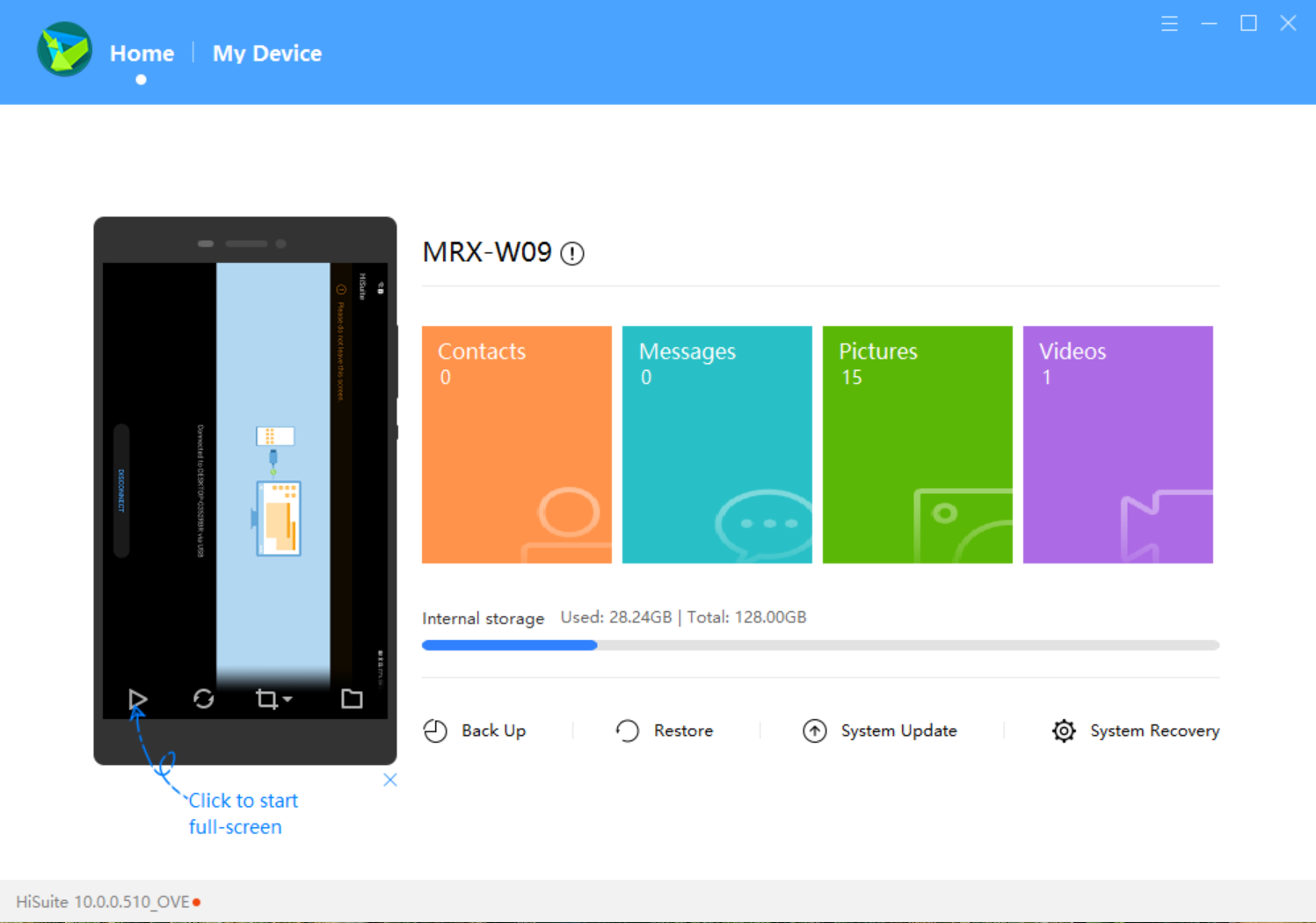
Đầu tiên, hãy cài đặt Hisuite, đây là một trình quản lý thiết bị chạy trên máy tính xách tay/máy tính để bàn để quản lý tài nguyên trên các thiết bị di động Huawei. Tệp thực thi có thể được tải xuống từ trang web của Huawei. Sau khi kết nối với thiết bị di động, thiết bị có thể được quản lý trên máy tính xách tay.
Tải xuống trình cài đặt GMS

Tiếp theo trên máy tính xách tay, hãy tải xuống trình cài đặt GMS, trình cài đặt này sẽ được sử dụng để tải xuống các dịch vụ Google. Phiên bản trình cài đặt GMS hoạt động có thể được tìm thấy ở đây(Nhưng trước khi bạn có thể tải xuống tệp Zip, hãy tạo tài khoản Huawei ID trước nếu chưa có, nếu không bạn sẽ thấy lỗi bên dưới) hoặc ở đây.
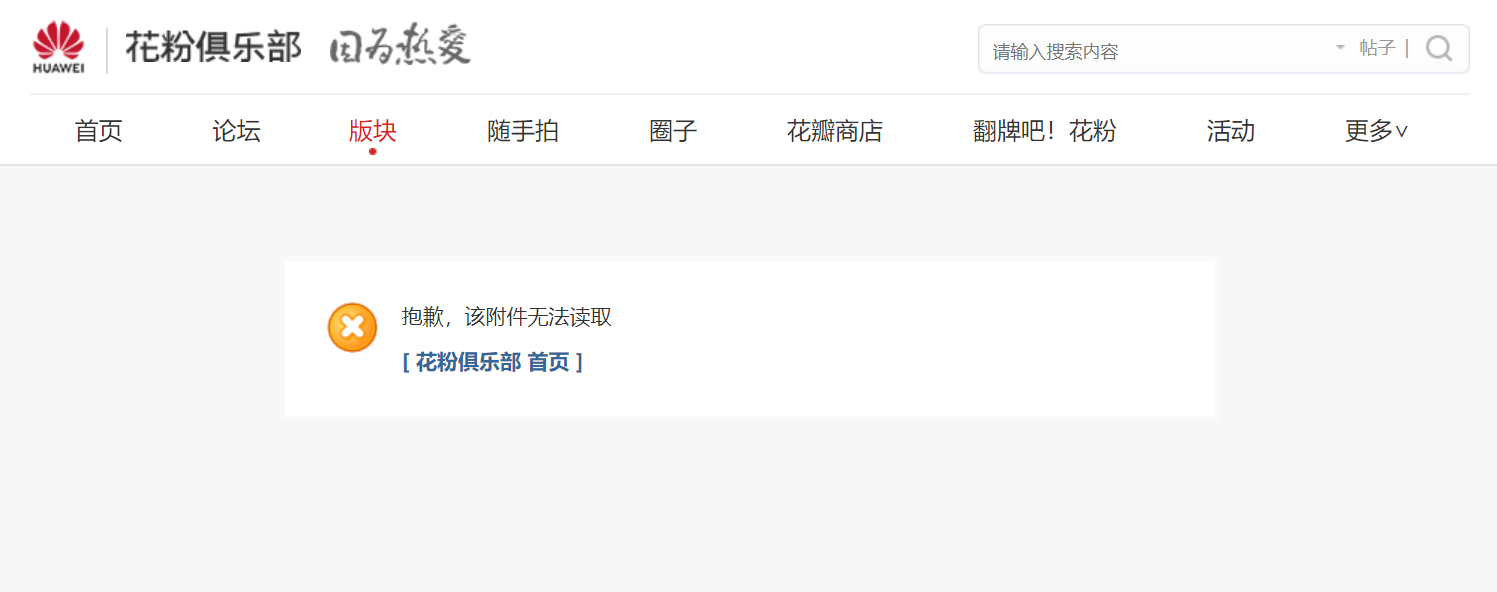
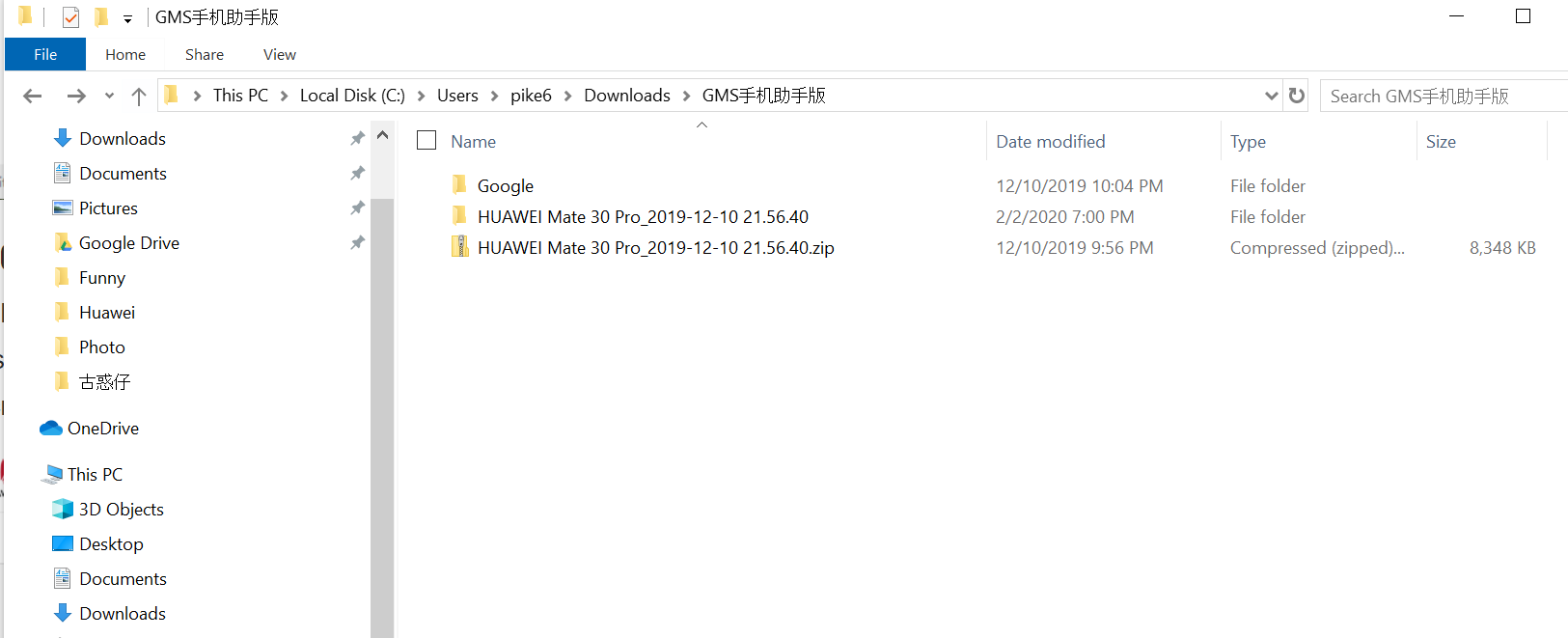
Sau khi tải xuống tệp zip, bạn có thể giải nén nó vào một vị trí nào đó mà sau này Hisuite có thể tìm thấy. Bên trong thư mục đã giải nén, có một tệp có tên HUAWEI Mate 30 Pro_2019-12-10 21.56.40.zip, hãy giải nén tệp zip này một lần nữa.
Cài đặt trình cài đặt GMS

Bây giờ trong Hisuite, nhấp vào Khôi phục, trong hộp thoại đã mở, nhấp vào biểu tượng Chỉnh sửa và chọn đường dẫn ở bước trên. Và bạn sẽ thấy trình cài đặt được tìm thấy bên dưới.
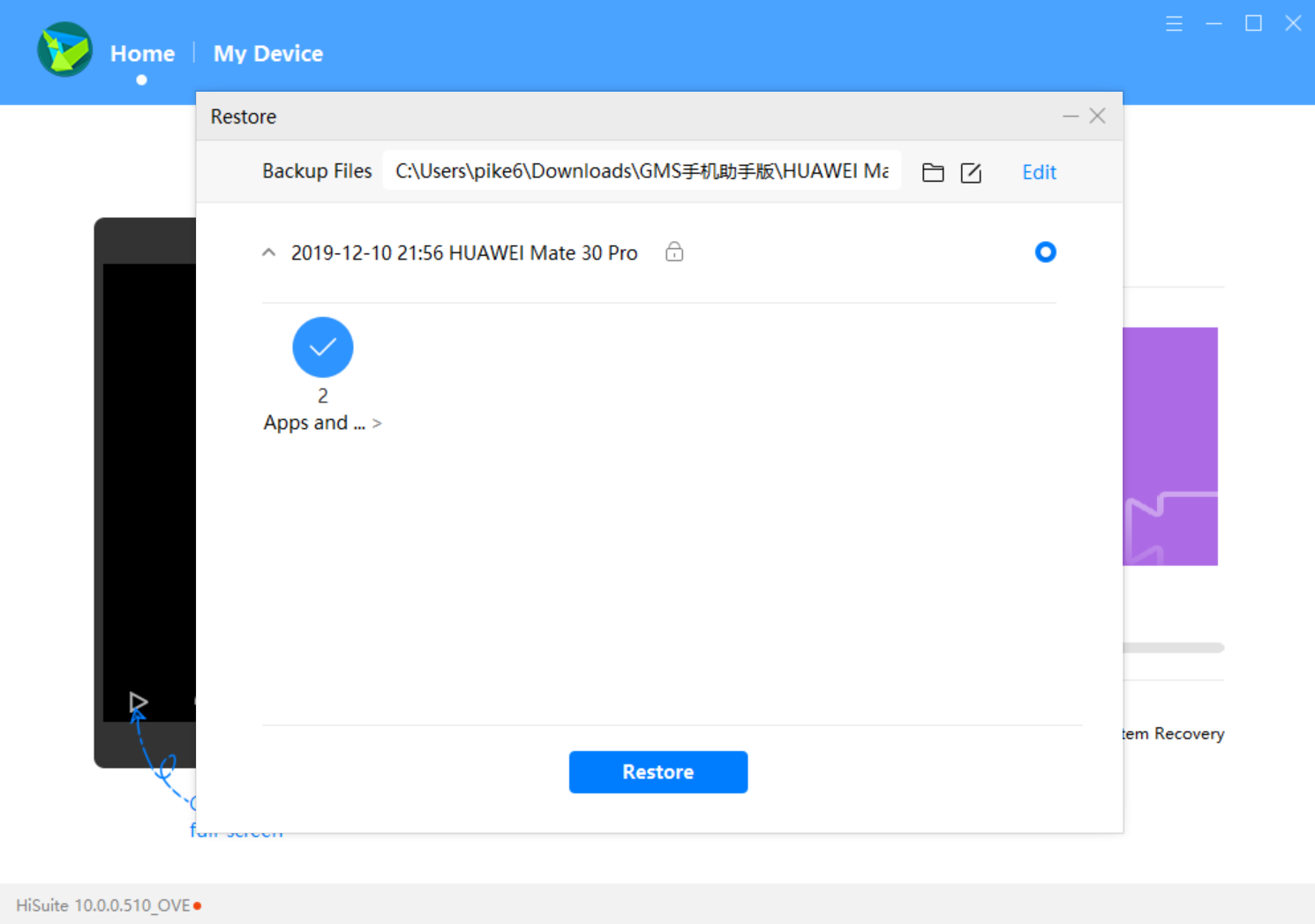
Nhấp vào Khôi phục và bạn sẽ thấy một số thứ đã được cài đặt trên Huawei MatePad. 
Cài đặt dịch vụ Google

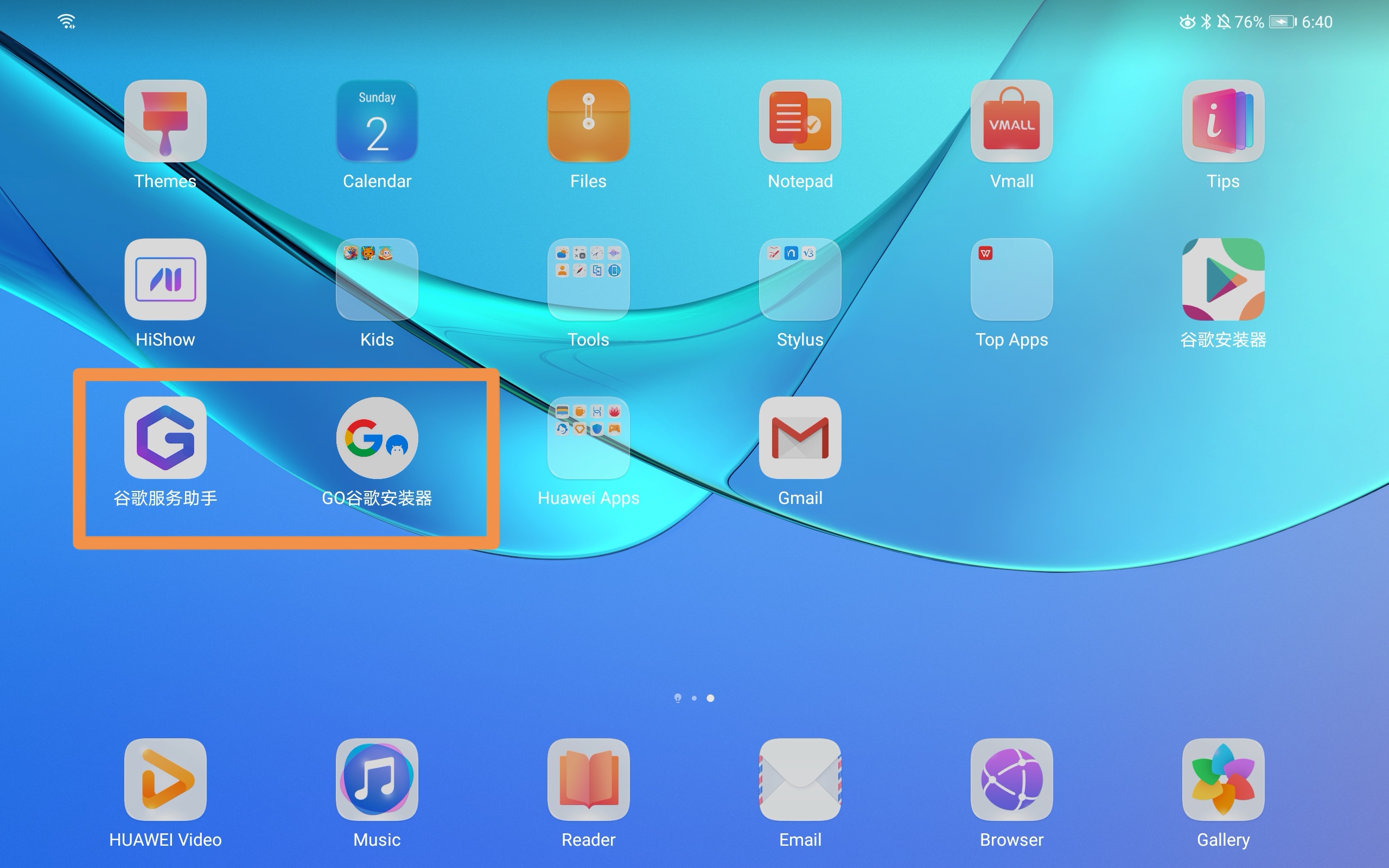
Trên Huawei MatePad, chạm vào GO Google Installer như được hiển thị trong ứng dụng thứ hai trong hộp màu cam ở trên. Ứng dụng này sẽ yêu cầu bạn cài đặt khung dịch vụ Google, dịch vụ Google Play và Cửa hàng Google Play. Chỉ cần chạm vào Go và cả ba ứng dụng này sẽ được cài đặt. Thử lại nếu một số ứng dụng không được cài đặt.

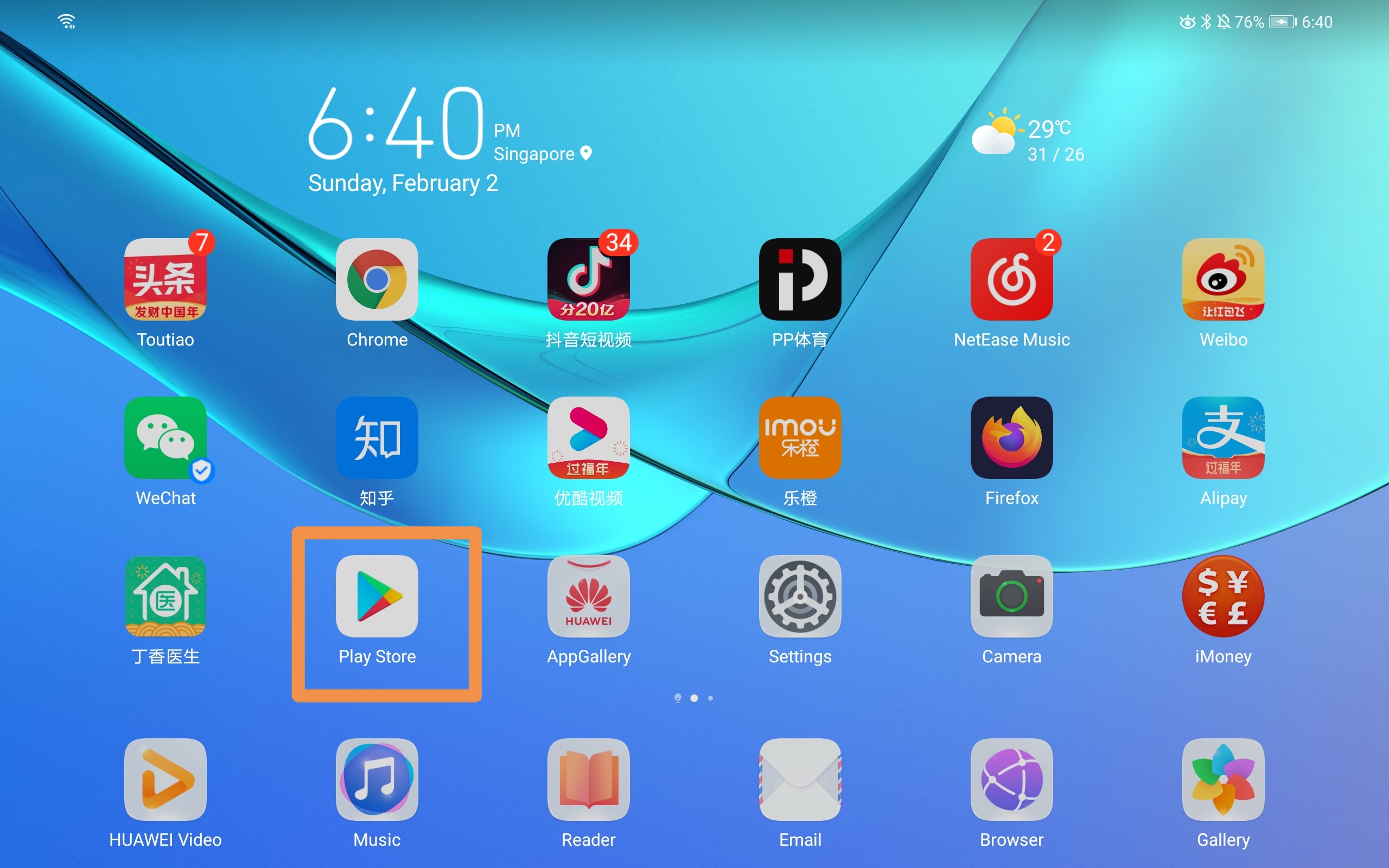
Bây giờ hãy chạm vào ứng dụng đầu tiên trong hộp màu cam ở trên. Ứng dụng này sẽ được sử dụng để kích hoạt dịch vụ Google. Sau khi kích hoạt, chỉ cần khởi động lại thiết bị Huawei MatePad của bạn. Và bạn sẽ có thể thấy ứng dụng Cửa hàng Google Play đã được cài đặt.
Cập nhật quyền

Bây giờ hãy vào Cài đặt - Ứng dụng - Ứng dụng và tìm kiếm google, bạn sẽ có thể thấy Dịch vụ Google Play và Cửa hàng Google Play. Hãy bật các quyền khác nhau cho hai ứng dụng này. Và bây giờ bạn sẽ có thể tải xuống các ứng dụng thông qua Cửa hàng Google Play.

Thưởng thức trải nghiệm Huawei của bạn và có sẵn Google cùng một lúc.

Tham khảo: https://cn.club.vmall.com/thread-22163120-1-1.html

GOOGLE PLAY STORE HUAWEI MATEPAD

  RELATED

  COMMENTS

62
Anonymous
Apr 25, 2020 at 12:08 pm

Can you direct me to the best/quickest way to obtain GMS?

Thanks...

Ke Pi
Apr 30, 2020 at 7:53 am

the link provided in the post doesn't work for you?

Anonymous
Aug 2, 2020 at 10:38 am

it doesnt work. the file mate 30 pro zip, doesn't exist


Anonymous
Apr 23, 2021 at 11:07 am

Hi, I clicked that link and file was exist... Maybe you can try again ?

abbyzor
May 3, 2020 at 11:16 pm

the link requires to subscribe to a website...which I don't succeed to do is there another ink.

in addition, can you confirm if this procedure works with the wifi version of matepad pro (no lte)?

thanks

Ke Pi
May 4, 2020 at 7:16 am

the site is the Huawei Fans Club(a forum) and u can login with you Huawei ID account, thereafter you should ebe able to access the link.

To be honest, this is the only link which I can download a workable package. It should work with your WIFI one.

Anonymous
May 13, 2020 at 9:10 am

Will there be any annoying pop up notification after installation? 

Anonymous
May 13, 2020 at 9:10 am

Will there be any annoying pop up notification after installation? 

Ke Pi
May 13, 2020 at 11:32 am

what notification you are referring to? so far it works without any problem. basically it just installs necessary google services and the play store.

Anonymous
May 13, 2020 at 1:07 pm

Hi,

I always redirect back to main page even after i log in everytime. Cant download the package. Can help on this?

Thanks.

Anonymous
May 13, 2020 at 11:48 pm

The link led me to a  chinese website cn.club.vmail nut still I'm not authorised to read or download files after registering my device as required. Any solution? 

The pop up notification "google play services required an action"...

Thanks for the reply!

Anonymous
May 13, 2020 at 11:53 pm

Pls ignore my last message, I ve managed to download the files now. My apology.

Ke Pi
May 14, 2020 at 5:21 am

glad to hear abt it and hope it works for you

Anonymous
May 16, 2020 at 4:01 am

Hi

I am still getting the The pop up notification "google play services required an action"...

Anonymous
May 16, 2020 at 4:02 am

The first app ran few times still ! mark. any advise?

Ke Pi
May 16, 2020 at 4:29 am

Have u tried to run the second app first as described in the post and tried to restart the device?

Anonymous
May 16, 2020 at 4:34 am

Hi Ke Pi

Steps is did,

1) ran second app(google logo) first

2) ran first app (Big Blue G logo) all in mandarin. Ran and restart


reset clean device tried again same. any step i missed out?

Ke Pi
May 17, 2020 at 4:48 am
@Anonymous

after u ran the second app, have u verified that you installed the google related packages successfully(three of them: google service framework, Google Play service, Google Play store) -- should be all green tick on the right?

Anonymous
May 18, 2020 at 2:22 am

Doesn't work for my mated pro after trying few times. 😓

Anonymous
May 29, 2020 at 9:21 pm

Yes similarly here the Chinese app kept saying no WiFi connection and doesnt activates googleapp


Shaam22
Jun 6, 2020 at 8:40 am

Hi, I'm unable to download GMS installer. I have already logged in to Huawei account but still error message is shown as attachment not found. Please help. 

Ke Pi
Jun 6, 2020 at 12:21 pm

The link has been updated. Please try the new link. 

Shaam22
Jun 8, 2020 at 9:29 am

Thank you, for the new link to download GMS installer. Now the issue is Im unable to install the three of them successfully . google service framework shows a green tick but Google Play service, Google Play store both still showing the red exclamation mark. 

Anoous
Jun 7, 2020 at 7:44 am

so ...my problem is that once i open google Play and it tell me to conect, after i hit the connect button it does nothing ...all permissions are made.

Anonymous
Sep 6, 2020 at 9:17 am

same issues you encountered


Anonymous
Jun 13, 2020 at 12:52 pm

Installed. Facing similar issues highlighted above, but downloaded YouTube apk and it's working :) 

Anonymous
Jun 13, 2020 at 5:49 pm

Installed but nothing happens when click on log in in play store. All permisions are granted. 

Anonymous
Jun 16, 2020 at 3:24 pm

i can install google play but i cannot sign in.nothing happen when i clicked sign in

Anonymous
Jul 8, 2020 at 6:48 am

Do you sign in already what did you do? I have the same problem

Anonymous
Jul 4, 2021 at 4:48 am

same here

Anonymous
Jun 18, 2020 at 2:05 am
it is asking for pass word, please provide
Ke Pi
Jun 18, 2020 at 7:30 am

can u try second link? It should not ask for password.

Anonymous
Jun 26, 2020 at 4:10 am

It also request me to provide password, the hint is a0000000

Ke Pi
Jun 26, 2020 at 11:42 pm

u mean when downloading the file? or restore the file? The download link is https://www.pixelstech.net/download/software/GMS_Installer.zip

Anonymous
Mar 8, 2024 at 8:04 am
@Ke Pi

it requires password when I select the file and want to restore...

Anonymous
Jul 8, 2020 at 6:50 am

Hi I can't sign in at Google play all the permission I allowed what should I do?

Anonymous
Oct 15, 2020 at 9:37 am

The Password is the hint

Anonymous
Jun 25, 2020 at 12:44 am

hi for running the first app its says device not supported my device is matepad 10.4

Anonymous
Jun 26, 2020 at 4:09 am

Before I want to restore the document, it request the password, may i know the password of the file?

Ke Pi
Jun 26, 2020 at 11:44 pm

weird, I didn't see this password requirement when I tried.

Anonymous
Jun 29, 2020 at 3:45 am

Hi it kept requesting password although i tried the lastest link u shared, any solution? Thanks

Ke Pi
Jul 8, 2020 at 10:53 am

U mean password for downloading GMS installer?

Anonymous
Jul 5, 2020 at 6:31 am

My G Googles assistant doesn't work is there any other app for huawei mate pad

AB
Jul 7, 2020 at 8:15 am

hi there, i tried many times to enter the blue G app but it's keep sending me out the app, can you help me here.

Anonymous
Jul 8, 2020 at 7:30 pm

hi there, I was successful half through, the first app is not activating the apps.. it says the device is not supported. what to do?

Anonymous
Jul 10, 2020 at 2:11 pm

does this also support matepad 10.4?

i tried it but that google assistant (purple G icon) said its not supported by the device

Anonymous
Jul 23, 2020 at 9:46 pm

mine also.not working on matepad 10.4

Anonymous
Jul 28, 2020 at 10:47 am

does it still not working with your matepad 10.4?

Anonymous
Jul 28, 2020 at 7:17 pm

just tried for Matepad 10.4, seems not supported yet,
appreciate if anyone can help, TQTQ

Anonymous
Aug 2, 2020 at 3:42 am

this is Huawei matepad and not matepad pro right? 


Anonymous
Sep 6, 2020 at 9:17 am

does not work on matepad 10.4 :(

Anonymous
Aug 14, 2020 at 12:21 pm

I did all the steps, but it does not allow me to log in and at the time of I opened the application of the "G" a message comes out with a blue button I give that button and the same message returns... Install the apk of you

I just need to log in. I just need to log in that won't let me 

Anonymous
Sep 3, 2020 at 11:28 pm

it says on the activate window that device is not currently supported. Im using matepad 10.4

Anonymous
Sep 8, 2020 at 7:35 am

Just curious, has anyone made it work by following the post?

Anonymous
Sep 15, 2020 at 6:58 pm

HiSuite asks me a password when trying to restore the content, what proceeds?

ManuelM
Oct 17, 2020 at 10:04 pm

Hi, this procedure work with matepad 10.4 WiFi version? 

Anonymous
Jan 30, 2021 at 2:58 pm

I ran this process on the Huawei MatePad Pro.  I installed everything via HiSuite, but the app with the Blue logo won't allow permissions, and I cannot sign in to the Google Play Store.  I gave all the necessary permissions, but the Play Store will not open.  I am on Emui firmware 11.

Anonymous
Mar 13, 2021 at 6:34 am

I went through all the steps above, which did happen.

But finally when I open google Playstore it asks me to sign in, but it will not let me enter anything.

i click on 'SIGN IN' but nothing happens.

It looks like everything is installed, but still cannot log into the playstore.

???????????????

Anonymous
Apr 17, 2021 at 7:28 am

whats the password for restore ?

Nickname
Apr 19, 2021 at 5:28 am

I can't open my G icon app it's showing something in Chinese.

Can you help me 

Migu
Jun 1, 2021 at 12:26 pm

Mine is a Huawei Matepad T8. The installation process went fine. But when i open the Google play store, it says to sign in. When I press it, nothing happens. I am unable to sign in. Please help

Mr.SK
Apr 19, 2022 at 11:58 am

My device Huawei matepad 10.4  (4gb ram 128gb rom) 

I am install hisute in my desktop then download gsm packege in first link and click restore and select file path. And ask password I am enter a0000000 then install ok but second icon click (!red) not download 3 option many tile I am click green Go button :(( not install play service and play store  what wrong ? Please help