Install Google services on Huawei MatePad

English 简体中文 ภาษาไทย Tiếng Việt
Summary

Huawei devices, affected by trade restrictions, typically lack Google Play services, preventing access to the Android app ecosystem. A multi-step workaround allows installation, beginning with using Hisuite on a PC to restore a specific GMS installer package onto the device. Once transferred, users launch the GO Google Installer on the Huawei device to deploy the Google service framework, Play services, and Play Store, followed by an activation step and device restart. The final crucial step involves manually enabling all necessary permissions for Google Play services and Play Store within the device settings, thereby restoring full functionality for app downloads.

自从中国和美国之间的贸易战以来,许多服务都不允许在华为设备上使用,这是美国政府实施的一系列限制中国的措施。这些服务包括 Google Play 服务,该服务用于在 Android 设备上下载 Android 应用。这对华为用户带来了很大的麻烦,因为他们无法下载其他所有 Android 设备上可用的应用。

幸运的是,人们可以通过在获得新的华为设备后执行一些额外的步骤来在华为设备上安装 Google 服务。在这篇文章中,我们将展示如何在华为 MatePad(类似于 iPad)上安装 Google 服务。

华为手机(如华为 P30 Pro)的步骤大致相同。让我们开始吧。

安装 HiSuite

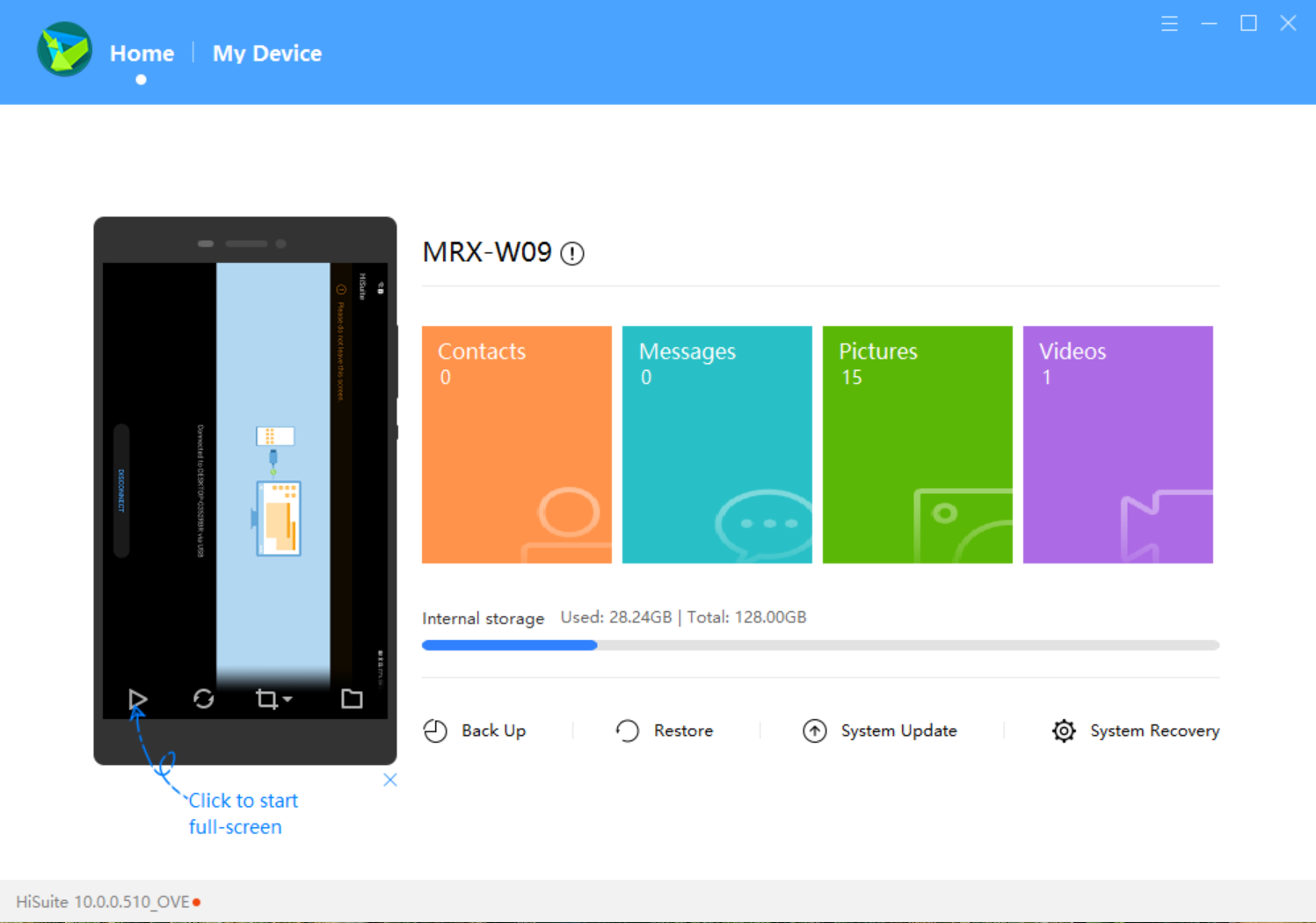
首先,请安装 HiSuite,这是一个在笔记本电脑/台式电脑上运行的设备管理器,用于管理华为移动设备上的资源。可执行文件可以从 华为官网下载。连接到移动设备后,可以在笔记本电脑上管理设备。
下载 GMS 安装程序

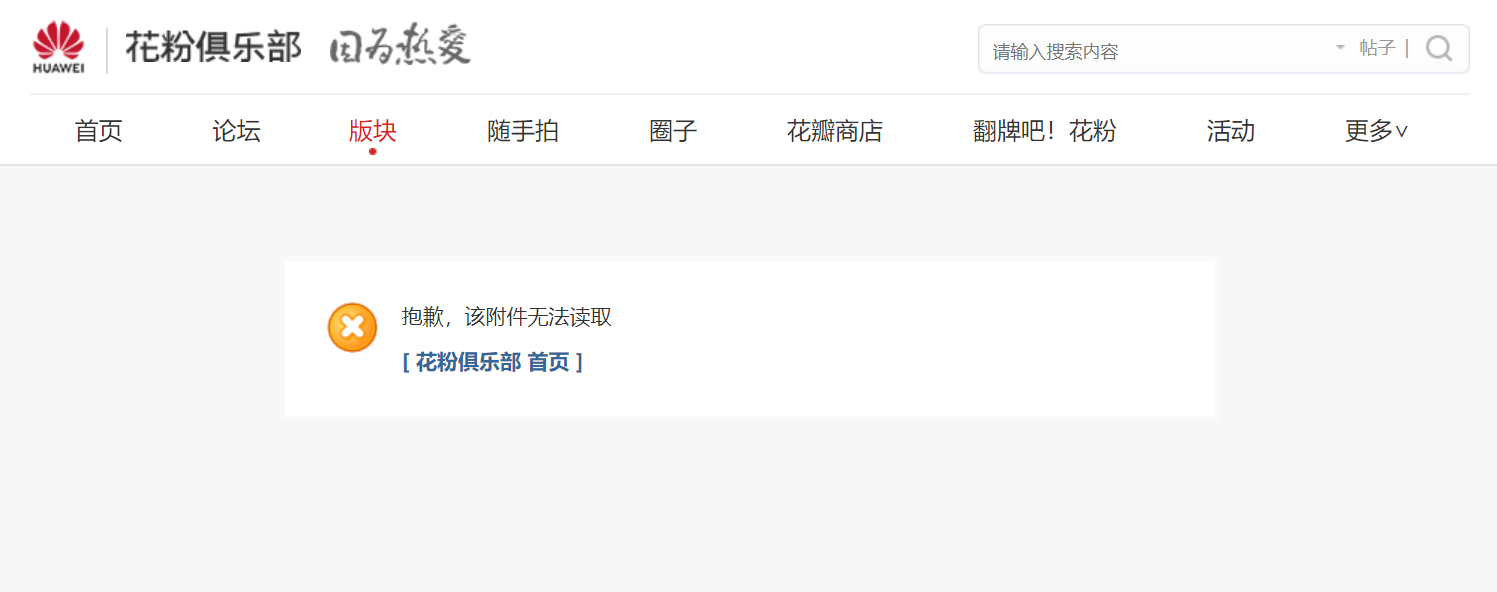
接下来,在笔记本电脑上下载 GMS 安装程序,该程序将用于下载 Google 服务。可用的 GMS 安装程序版本可以在 这里找到(但在下载 Zip 文件之前,如果没有华为 ID 帐户,请先创建一个,否则会看到以下错误)或 这里

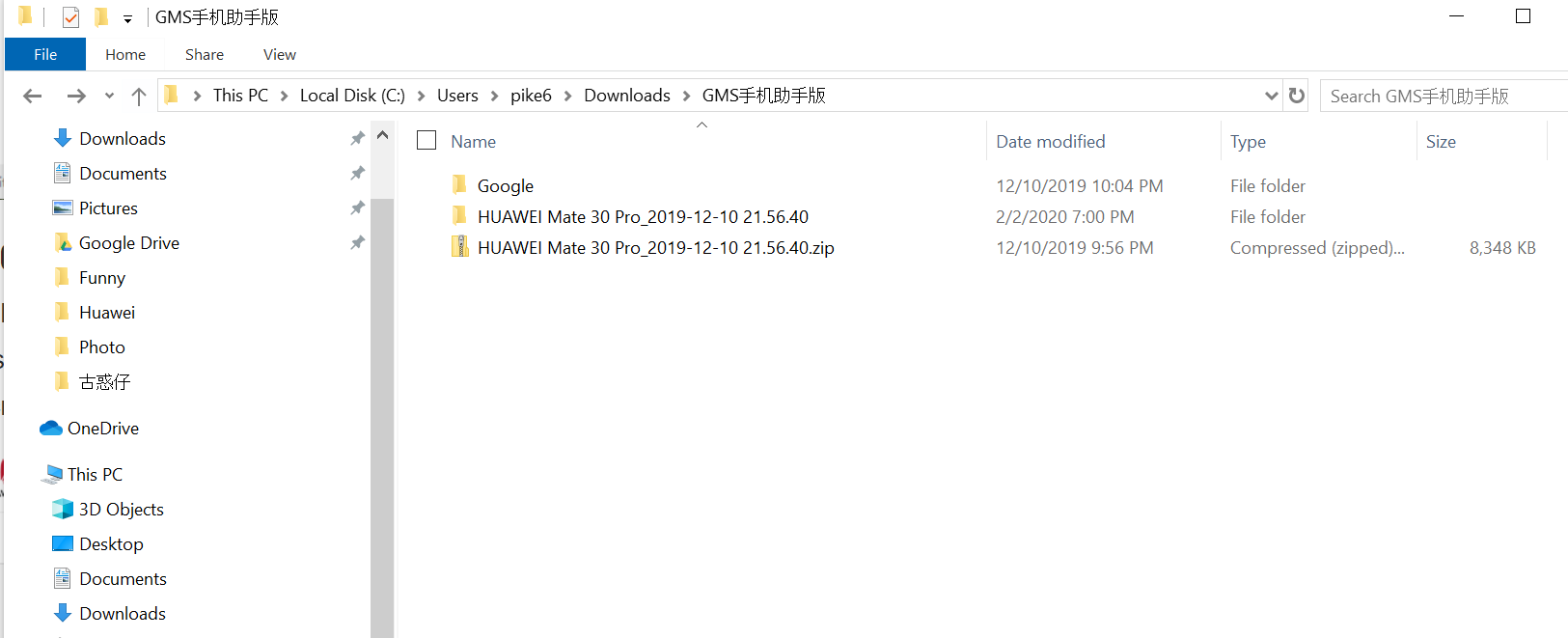
下载 zip 文件后,可以将其解压到 HiSuite 稍后可以找到的位置。在解压后的文件夹中,有一个名为 HUAWEI Mate 30 Pro_2019-12-10 21.56.40.zip 的文件,再次解压此 zip 文件。
安装 GMS 安装程序

现在在 HiSuite 中,点击恢复,在打开的对话框中,点击编辑图标并选择上述步骤中的路径。您应该会看到以下找到的安装程序。
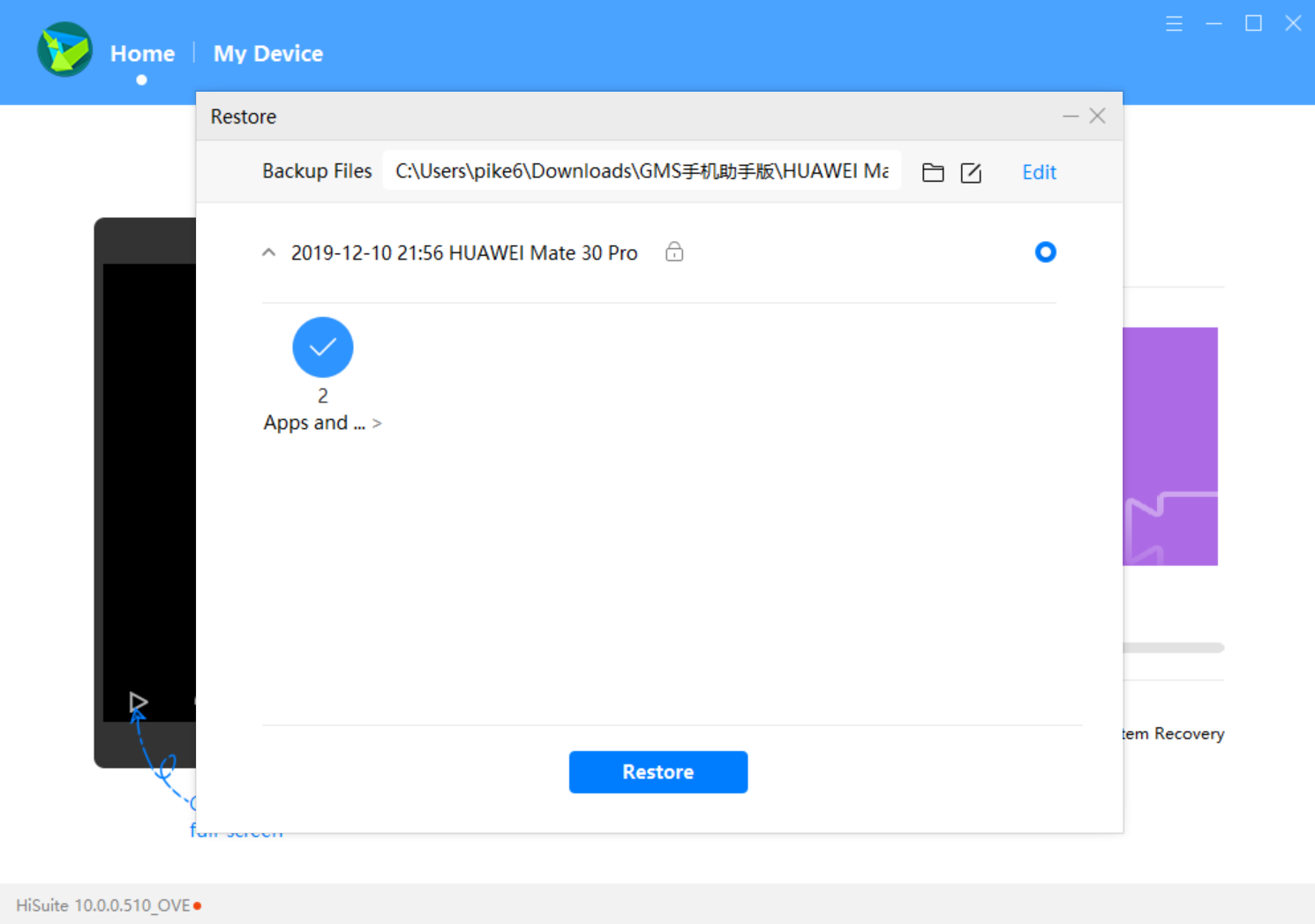
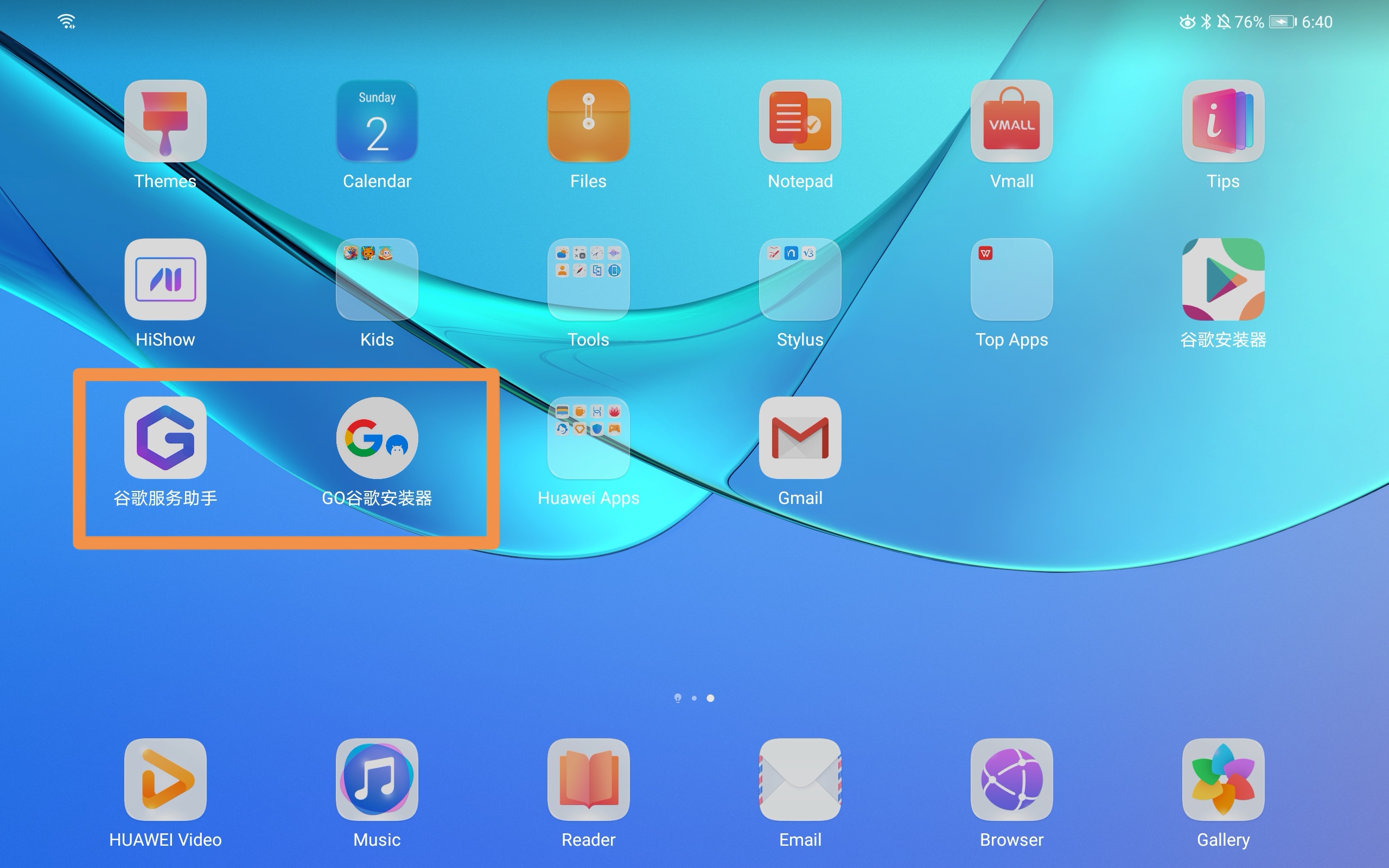
点击恢复,您会发现华为 MatePad 上已经安装了一些东西。
安装 Google 服务

在华为 MatePad 上,点击上面橙色框中的第二个应用GO Google Installer。它会要求您安装 Google 服务框架、Google Play 服务和 Google Play 商店。只需点击Go,这三个应用就会被安装。如果其中一些应用安装失败,请重试。

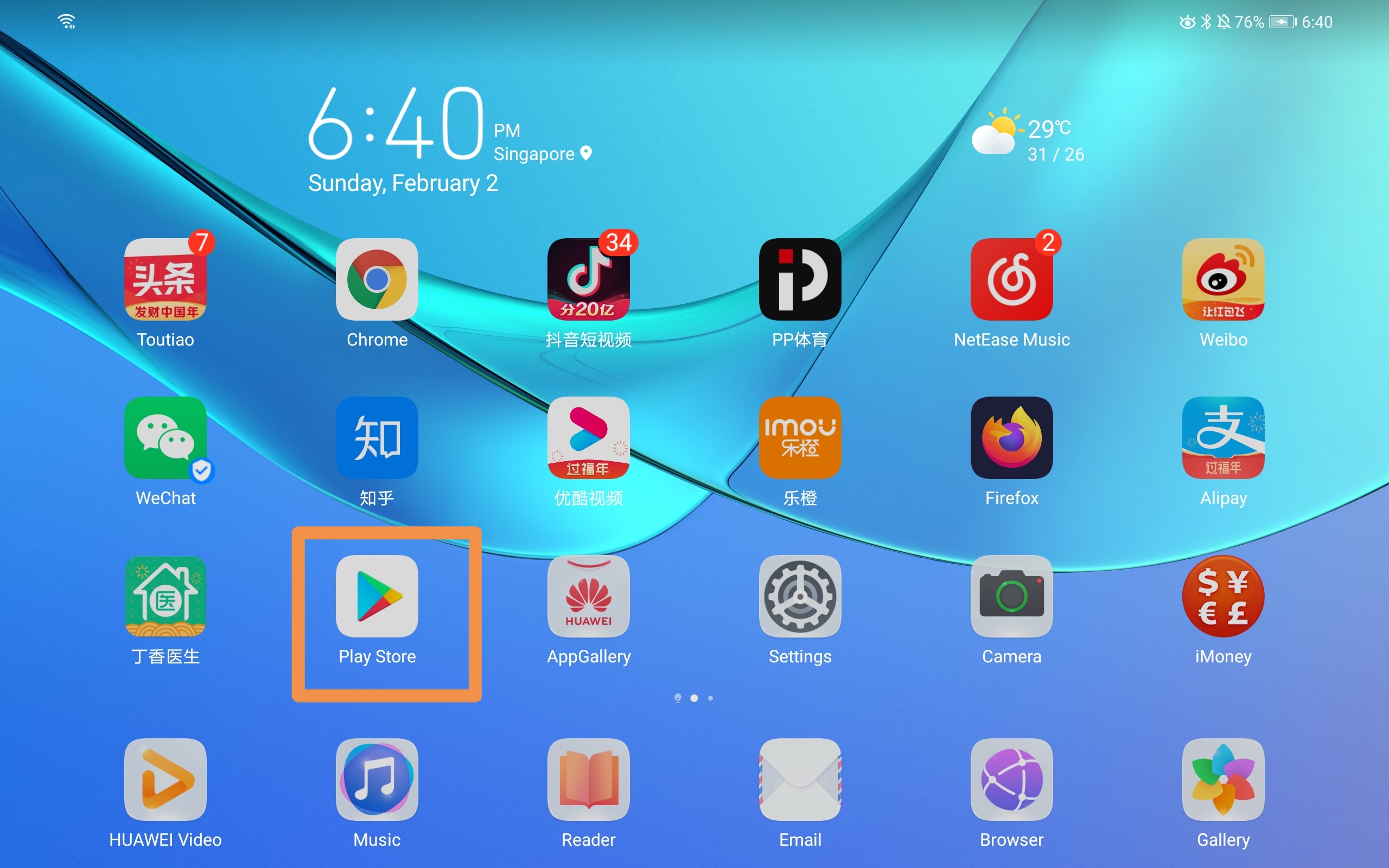
现在点击上面橙色框中的第一个应用。此应用将用于激活 Google 服务。激活后,只需重新启动您的华为 MatePad 设备。您应该可以看到已安装的 Google Play 商店应用。
更新权限

现在进入设置 - 应用 - 应用并搜索google,您应该可以看到 Google Play 服务和 Google Play 商店。进入并为这两个应用启用不同的权限。现在您应该可以通过 Google Play 商店下载应用了。

享受您的华为体验,同时也能使用 Google。

参考: https://cn.club.vmall.com/thread-22163120-1-1.html

GOOGLE PLAY STORE HUAWEI MATEPAD

  RELATED

  COMMENTS

62
Anonymous
Apr 25, 2020 at 12:08 pm

Can you direct me to the best/quickest way to obtain GMS?

Thanks...

Ke Pi
Apr 30, 2020 at 7:53 am

the link provided in the post doesn't work for you?

Anonymous
Aug 2, 2020 at 10:38 am

it doesnt work. the file mate 30 pro zip, doesn't exist


Anonymous
Apr 23, 2021 at 11:07 am

Hi, I clicked that link and file was exist... Maybe you can try again ?

abbyzor
May 3, 2020 at 11:16 pm

the link requires to subscribe to a website...which I don't succeed to do is there another ink.

in addition, can you confirm if this procedure works with the wifi version of matepad pro (no lte)?

thanks

Ke Pi
May 4, 2020 at 7:16 am

the site is the Huawei Fans Club(a forum) and u can login with you Huawei ID account, thereafter you should ebe able to access the link.

To be honest, this is the only link which I can download a workable package. It should work with your WIFI one.

Anonymous
May 13, 2020 at 9:10 am

Will there be any annoying pop up notification after installation? 

Anonymous
May 13, 2020 at 9:10 am

Will there be any annoying pop up notification after installation? 

Ke Pi
May 13, 2020 at 11:32 am

what notification you are referring to? so far it works without any problem. basically it just installs necessary google services and the play store.

Anonymous
May 13, 2020 at 1:07 pm

Hi,

I always redirect back to main page even after i log in everytime. Cant download the package. Can help on this?

Thanks.

Anonymous
May 13, 2020 at 11:48 pm

The link led me to a  chinese website cn.club.vmail nut still I'm not authorised to read or download files after registering my device as required. Any solution? 

The pop up notification "google play services required an action"...

Thanks for the reply!

Anonymous
May 13, 2020 at 11:53 pm

Pls ignore my last message, I ve managed to download the files now. My apology.

Ke Pi
May 14, 2020 at 5:21 am

glad to hear abt it and hope it works for you

Anonymous
May 16, 2020 at 4:01 am

Hi

I am still getting the The pop up notification "google play services required an action"...

Anonymous
May 16, 2020 at 4:02 am

The first app ran few times still ! mark. any advise?

Ke Pi
May 16, 2020 at 4:29 am

Have u tried to run the second app first as described in the post and tried to restart the device?

Anonymous
May 16, 2020 at 4:34 am

Hi Ke Pi

Steps is did,

1) ran second app(google logo) first

2) ran first app (Big Blue G logo) all in mandarin. Ran and restart


reset clean device tried again same. any step i missed out?

Ke Pi
May 17, 2020 at 4:48 am
@Anonymous

after u ran the second app, have u verified that you installed the google related packages successfully(three of them: google service framework, Google Play service, Google Play store) -- should be all green tick on the right?

Anonymous
May 18, 2020 at 2:22 am

Doesn't work for my mated pro after trying few times. 😓

Anonymous
May 29, 2020 at 9:21 pm

Yes similarly here the Chinese app kept saying no WiFi connection and doesnt activates googleapp


Shaam22
Jun 6, 2020 at 8:40 am

Hi, I'm unable to download GMS installer. I have already logged in to Huawei account but still error message is shown as attachment not found. Please help. 

Ke Pi
Jun 6, 2020 at 12:21 pm

The link has been updated. Please try the new link. 

Shaam22
Jun 8, 2020 at 9:29 am

Thank you, for the new link to download GMS installer. Now the issue is Im unable to install the three of them successfully . google service framework shows a green tick but Google Play service, Google Play store both still showing the red exclamation mark. 

Anoous
Jun 7, 2020 at 7:44 am

so ...my problem is that once i open google Play and it tell me to conect, after i hit the connect button it does nothing ...all permissions are made.

Anonymous
Sep 6, 2020 at 9:17 am

same issues you encountered


Anonymous
Jun 13, 2020 at 12:52 pm

Installed. Facing similar issues highlighted above, but downloaded YouTube apk and it's working :) 

Anonymous
Jun 13, 2020 at 5:49 pm

Installed but nothing happens when click on log in in play store. All permisions are granted. 

Anonymous
Jun 16, 2020 at 3:24 pm

i can install google play but i cannot sign in.nothing happen when i clicked sign in

Anonymous
Jul 8, 2020 at 6:48 am

Do you sign in already what did you do? I have the same problem

Anonymous
Jul 4, 2021 at 4:48 am

same here

Anonymous
Jun 18, 2020 at 2:05 am
it is asking for pass word, please provide
Ke Pi
Jun 18, 2020 at 7:30 am

can u try second link? It should not ask for password.

Anonymous
Jun 26, 2020 at 4:10 am

It also request me to provide password, the hint is a0000000

Ke Pi
Jun 26, 2020 at 11:42 pm

u mean when downloading the file? or restore the file? The download link is https://www.pixelstech.net/download/software/GMS_Installer.zip

Anonymous
Mar 8, 2024 at 8:04 am
@Ke Pi

it requires password when I select the file and want to restore...

Anonymous
Jul 8, 2020 at 6:50 am

Hi I can't sign in at Google play all the permission I allowed what should I do?

Anonymous
Oct 15, 2020 at 9:37 am

The Password is the hint

Anonymous
Jun 25, 2020 at 12:44 am

hi for running the first app its says device not supported my device is matepad 10.4

Anonymous
Jun 26, 2020 at 4:09 am

Before I want to restore the document, it request the password, may i know the password of the file?

Ke Pi
Jun 26, 2020 at 11:44 pm

weird, I didn't see this password requirement when I tried.

Anonymous
Jun 29, 2020 at 3:45 am

Hi it kept requesting password although i tried the lastest link u shared, any solution? Thanks

Ke Pi
Jul 8, 2020 at 10:53 am

U mean password for downloading GMS installer?

Anonymous
Jul 5, 2020 at 6:31 am

My G Googles assistant doesn't work is there any other app for huawei mate pad

AB
Jul 7, 2020 at 8:15 am

hi there, i tried many times to enter the blue G app but it's keep sending me out the app, can you help me here.

Anonymous
Jul 8, 2020 at 7:30 pm

hi there, I was successful half through, the first app is not activating the apps.. it says the device is not supported. what to do?

Anonymous
Jul 10, 2020 at 2:11 pm

does this also support matepad 10.4?

i tried it but that google assistant (purple G icon) said its not supported by the device

Anonymous
Jul 23, 2020 at 9:46 pm

mine also.not working on matepad 10.4

Anonymous
Jul 28, 2020 at 10:47 am

does it still not working with your matepad 10.4?

Anonymous
Jul 28, 2020 at 7:17 pm

just tried for Matepad 10.4, seems not supported yet,
appreciate if anyone can help, TQTQ

Anonymous
Aug 2, 2020 at 3:42 am

this is Huawei matepad and not matepad pro right? 


Anonymous
Sep 6, 2020 at 9:17 am

does not work on matepad 10.4 :(

Anonymous
Aug 14, 2020 at 12:21 pm

I did all the steps, but it does not allow me to log in and at the time of I opened the application of the "G" a message comes out with a blue button I give that button and the same message returns... Install the apk of you

I just need to log in. I just need to log in that won't let me 

Anonymous
Sep 3, 2020 at 11:28 pm

it says on the activate window that device is not currently supported. Im using matepad 10.4

Anonymous
Sep 8, 2020 at 7:35 am

Just curious, has anyone made it work by following the post?

Anonymous
Sep 15, 2020 at 6:58 pm

HiSuite asks me a password when trying to restore the content, what proceeds?

ManuelM
Oct 17, 2020 at 10:04 pm

Hi, this procedure work with matepad 10.4 WiFi version? 

Anonymous
Jan 30, 2021 at 2:58 pm

I ran this process on the Huawei MatePad Pro.  I installed everything via HiSuite, but the app with the Blue logo won't allow permissions, and I cannot sign in to the Google Play Store.  I gave all the necessary permissions, but the Play Store will not open.  I am on Emui firmware 11.

Anonymous
Mar 13, 2021 at 6:34 am

I went through all the steps above, which did happen.

But finally when I open google Playstore it asks me to sign in, but it will not let me enter anything.

i click on 'SIGN IN' but nothing happens.

It looks like everything is installed, but still cannot log into the playstore.

???????????????

Anonymous
Apr 17, 2021 at 7:28 am

whats the password for restore ?

Nickname
Apr 19, 2021 at 5:28 am

I can't open my G icon app it's showing something in Chinese.

Can you help me 

Migu
Jun 1, 2021 at 12:26 pm

Mine is a Huawei Matepad T8. The installation process went fine. But when i open the Google play store, it says to sign in. When I press it, nothing happens. I am unable to sign in. Please help

Mr.SK
Apr 19, 2022 at 11:58 am

My device Huawei matepad 10.4  (4gb ram 128gb rom) 

I am install hisute in my desktop then download gsm packege in first link and click restore and select file path. And ask password I am enter a0000000 then install ok but second icon click (!red) not download 3 option many tile I am click green Go button :(( not install play service and play store  what wrong ? Please help