
Once PHP version is upgraded in WAMP(especially from PHP 5 to PHP 8), we may encounter issue where phpMyAdmin may not work anymore. It needs us to make some upgrade of phpMyAdmin in this case. To do upgrade, can follow below steps.
- Download the latest phpMyAdmin version. Unzip the downloaded file and copy it to c:\wamp64\apps and rename it to phpmyadminx.y.z, the version you downloaded.

- Copy the config.inc.php file from the old phpMyAdmin folder to the new one.
- Update the alias of Apache server to point the phpMyAdmin version to the new location.
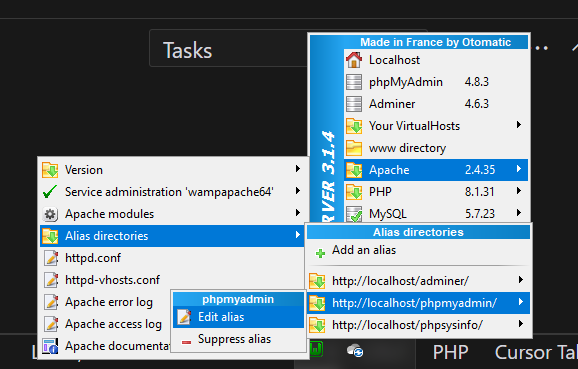
- Update the phpmyadmin.conf file opened in step 3.
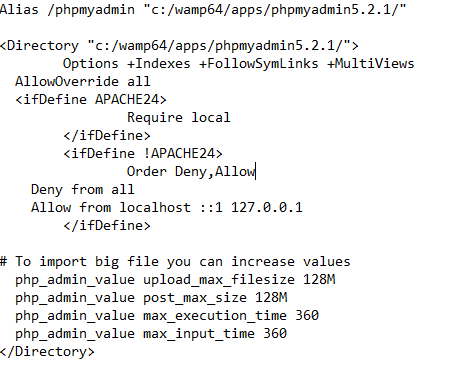
- Save and restart all services.
With above, the new phpMyAdmin can be opened. To switch back to the old version, can just follow step 3 till step 5 again.

No comment for this article.