
How long have you been using GitHub? Have you ever wondered whether one can customize his profile page with some fancy looking? Indeed GitHub allows developers to customize profile page through a secret repository.
The secret is to create a repository with the same name as your GitHub username. And you will be granted into the work of customizing your own profile page. In this post, we will show a simple walk through on how to create it.
Create secret repository
As indicated by the term secret repository, it indicates the repository name will be a bit special. You are right, it should be the same as your username.
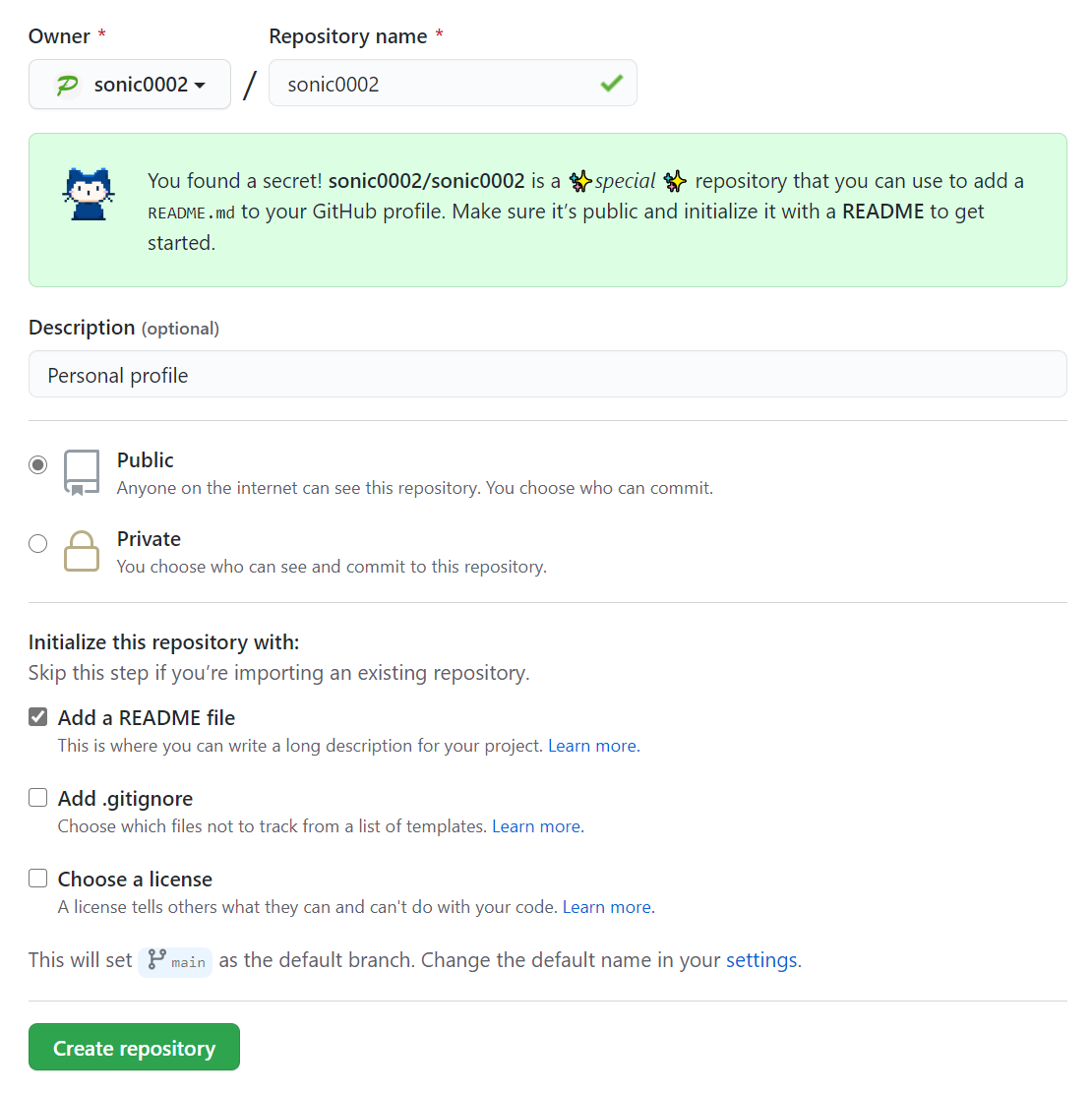
After typing the username, it will show a message telling you it's a special repository. And you should make this repository as public and also add a README file.
Then click Create repository, you will be redirected to the created repository.
Update README
Once you are in your new repository page, you will find an initial README file is created with simple welcome message. And it looks like a normal GitHub repository.
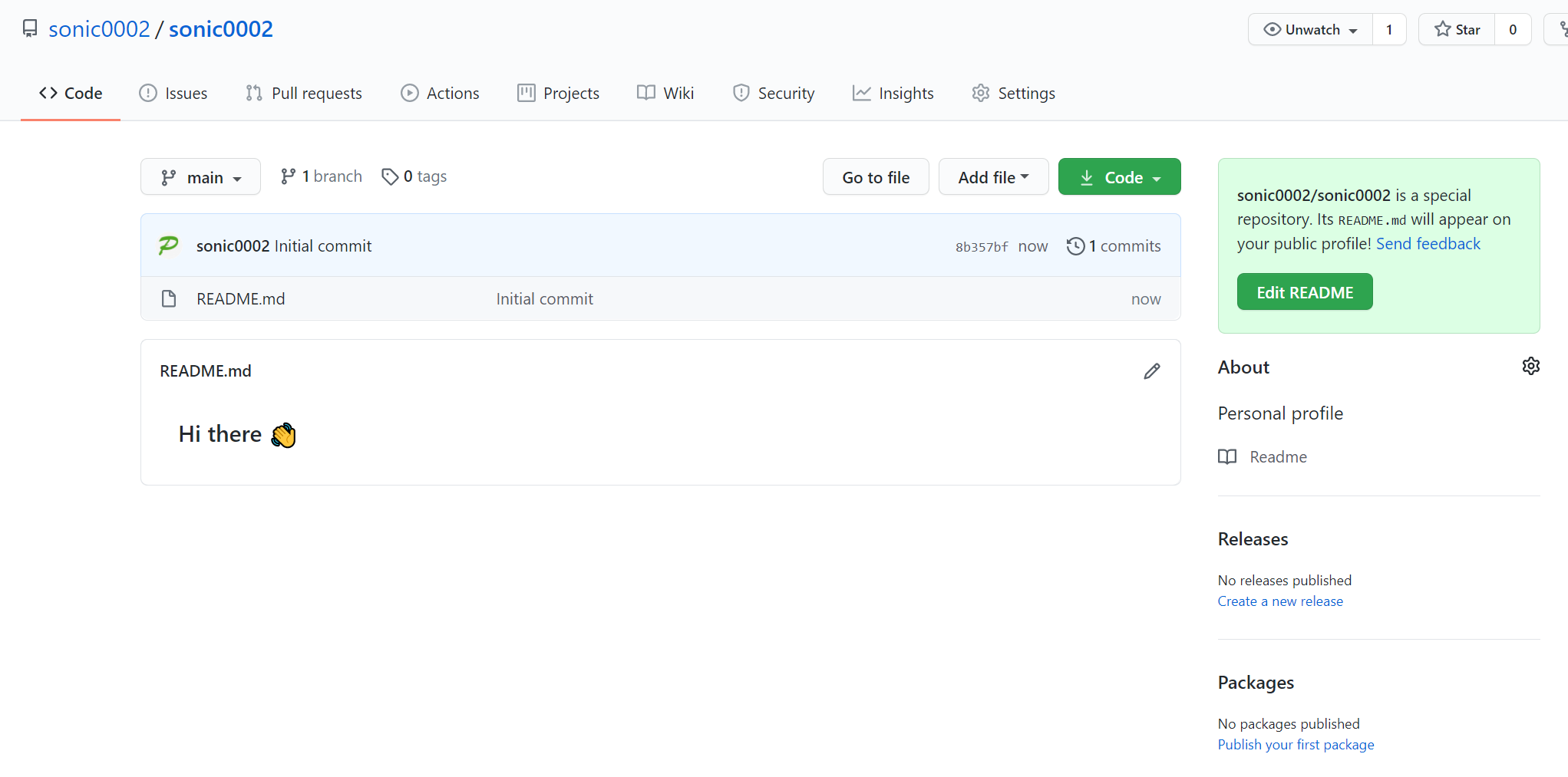
Now you can start to edit the README file.
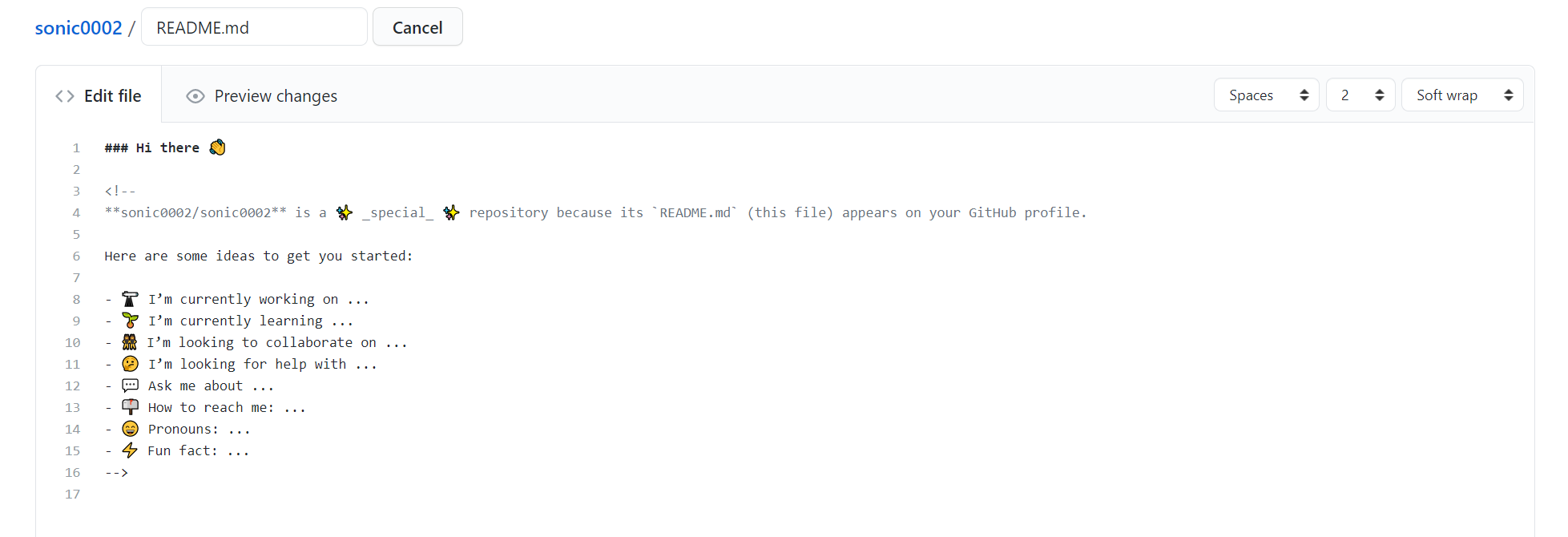
This should looks familiar, can use familiar markdown languages to edit the page. Once the update is completed and committed, you can go to your profile page and you will find this at the top of your profile page.

Okay, your customized profile page is ready.
Add more fancy components
To increase the fanciness of your profile page, there are lots of open source components can be added to your profile page. Below are some that you may be interested in.
github-readme-stats
This is a component which can show your GitHub account stats which are dynamically generated.
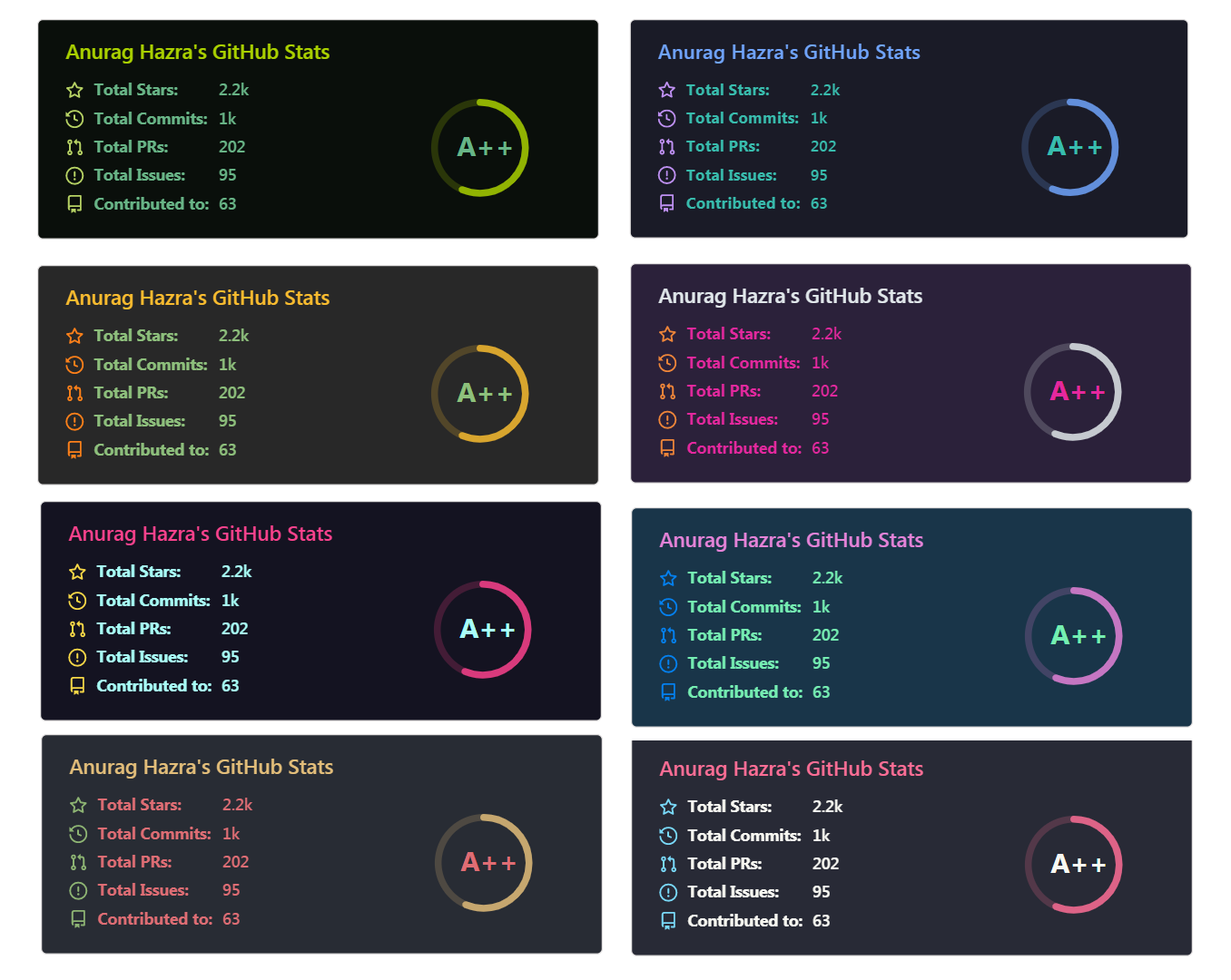
github-profile-trophy
This is a component to add trophies to your profile. it will give your different trophies based on your contributions and stats.

github-profile-views-counter
This component shows how many times your profile have been viewed.
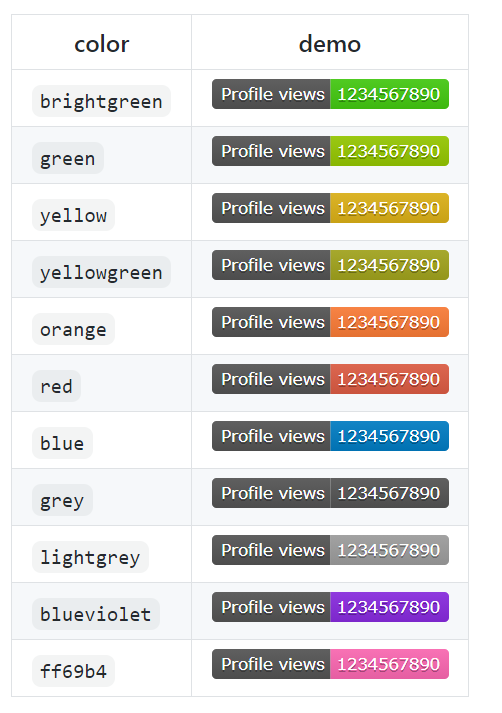
There are others which you can find online as well. Go and search for them.
Shutdown your customized profile
In case you feel this is boring and don't want it anymore. You can shut the customized profile page down by following either of below steps.
- Delete the README.md file
- Make the repository as private
- Change the repository name to a different one
Go and try out yourself and create your own customized profile page now and share with us below in comments. Enjoy!

No comment for this article.