Package Control doesn't show up in Sublime Text 3

Summary

Package Control serves as an essential package management console for Sublime Text 3, facilitating the installation and updates of various packages. Following its installation, developers anticipate accessing its commands through Ctrl + Shift + P. Should these commands fail to appear, the problem typically lies with either an incomplete installation or an incorrect configuration. Begin troubleshooting by verifying the presence of the "Package Control..." file within the `Installed Packages` directory, reinstalling if it's missing. The most common resolution involves removing "Package Control" from the `ignored_packages` list found in Preferences -> Settings, followed by a restart of Sublime Text 3.

Package Control is a package management console for managing packages in Sublime Text. It is frequently used to install, update packages. In Sublime Text 3, the Package Control package can be installed by following instructions at https://packagecontrol.io/installation

After installation, when you press Ctrl + Shift + P, a dialog with a text field will show up and package control commands can be typed and executed. 
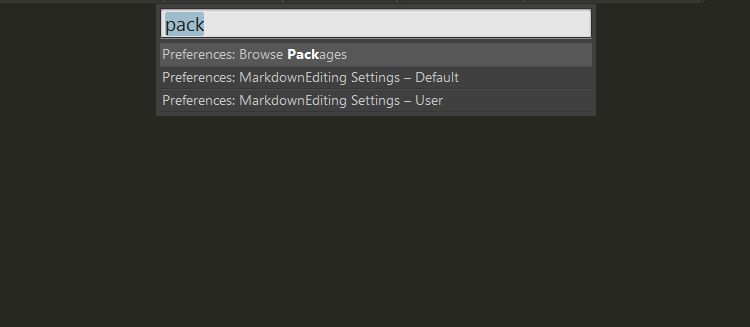
However, if you don't see the expected package control commands showing up, there might be some problem with the installation or setting. What should you do now?

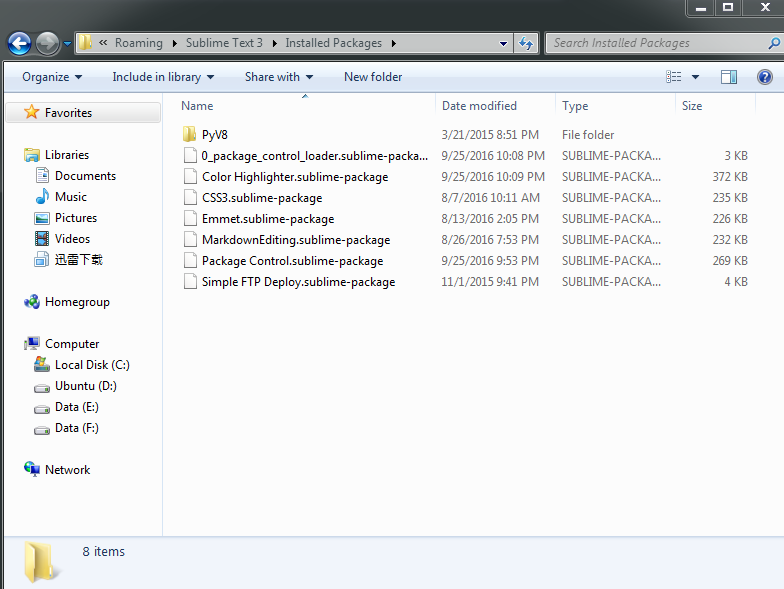
First, you can go to Preferences -> Browse Packages..., and go up one folder and open Installed Packages folder and look for a file with name starting with "Package Control...", if you can find it, then it means the Package Control package is installed. Otherwise, do the installation again.
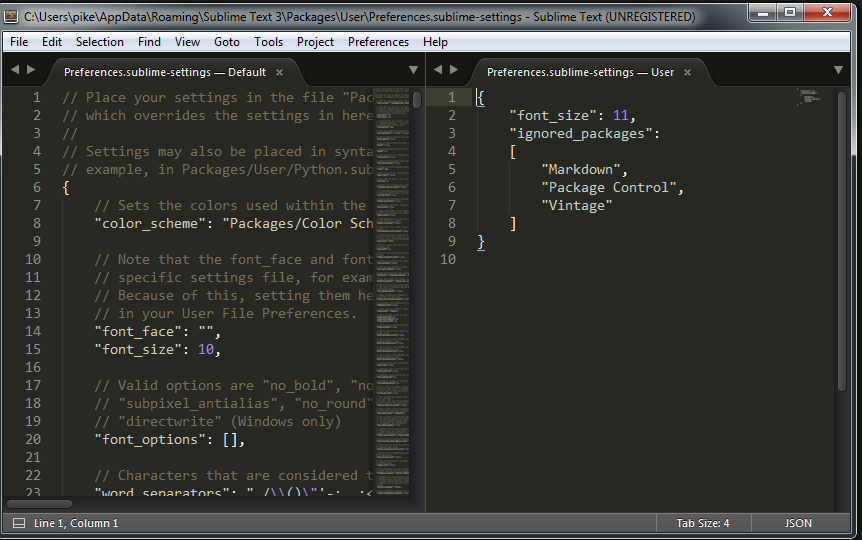
Then you can check whether the Package Control package is in the ignored_packages list. This is the most frequently happening reasons for Package Control not showing up. Go to Preferences -> Settings and remove "Package Control" if it's in the ignored_packages list. Restart the Sublime Text 3 thereafter.
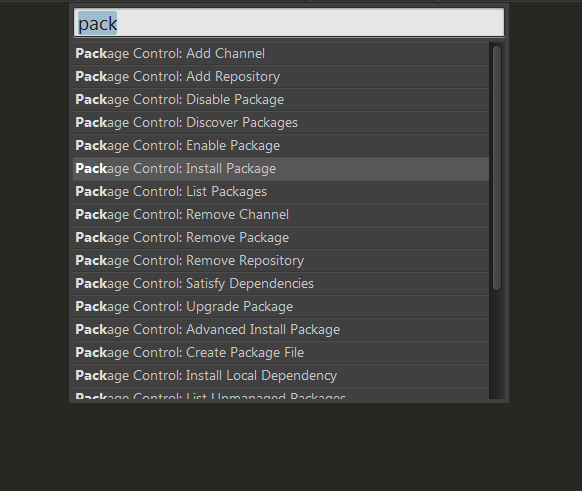
You should be able to see the Package Control commands now when press Ctrl + Shift + P.
SUBLIME TEXT SUBLIME TEXT 3 PACKAGE CONTROL

  RELATED

  COMMENTS

7
Anonymous
Sep 26, 2016 at 9:26 am

Thank you, this worked! :)

Anonymous
Sep 28, 2016 at 2:24 pm

thank you! spot on!

Anonymous
Jun 9, 2017 at 2:28 am

 Thank you :) :)

Jack Fry
May 2, 2019 at 12:44 pm

Not working for me but maybe not quite the same problem. I can install with package control, but no installed packages show up. They are not being ignored here either.

Anonymous
Nov 21, 2019 at 4:04 pm

Thank you!

Anonymous
Oct 25, 2020 at 11:01 am

thanks a lot!

Anonymous
Dec 5, 2020 at 4:11 am

Thanks!