
First, I would like to congratulate the Top 10 teams who successfully advanced to the final stage of CISS 2026!
And a big thanks to SUTD-iTrust for organizing another great cybersecurity competition and providing an exciting platform for participants to test their skills in both traditional IT security and OT/ICS cybersecurity.
For more information about the final-stage schedule and challenge briefing, please refer to the iTrust CISS 2026 Final Stage Briefing Video: https://youtu.be/Z87lWmLlW6k?si=ZPxLbdAw6xBEIYAD
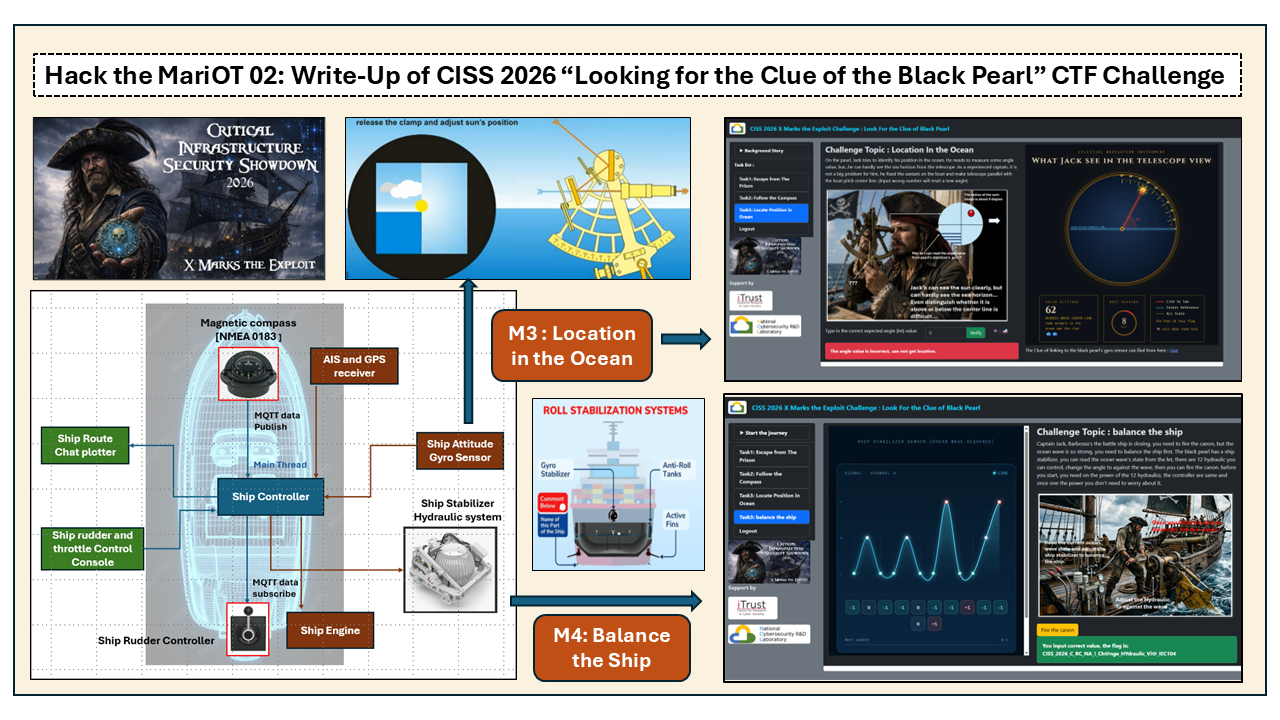
This article is the second part of my write-up for the CISS 2026 OT CTF challenge, “Looking for the Clue of the Black Pearl.”
In the previous article, “Hack the Maritime: Write-Up of CISS 2026 ‘Looking for the Clue of the Black Pearl’ OT CTF Challenge,” I introduced the solutions to the first two challenges: M1: Escape From the Prison and M2: Follow the Compass. If you missed Part 1, you can find it here:
-
Hack the Maritime : Write-Up of CISS 2026 “Looking for the Clue of the Black Pearl” OT CTF Challenge
Now, let’s continue following Captain Jack Sparrow’s journey as he searches for the legendary Black Pearl and works his way through the remaining maritime OT challenges:
-
M3: Location in the Ocean
-
M4: Balance the Ship
In this part, we will explore how the challenges combine maritime navigation, industrial control protocols, and OT system interaction to create a realistic and engaging cyber exercise.
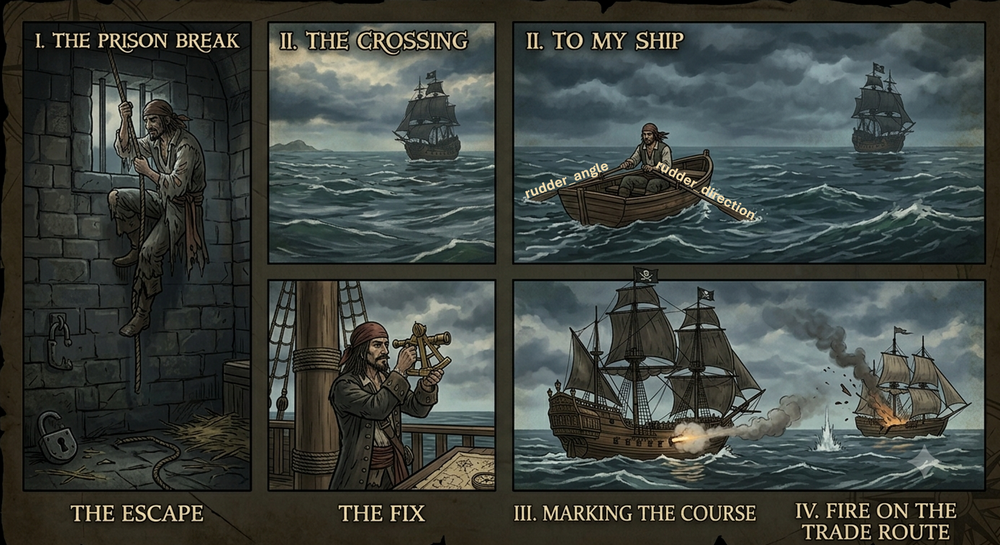
So, let’s get back on the ship and continue the hunt for the Clue of the Black Pearl!
# Author:      Yuancheng Liu
# Created:     2026/06/15
# Version:     v_0.0.4
# Copyright:   Copyright (c) 2026 LiuYuancheng
# License:     GNU Lesser General Public License v3.0
Task 3 – Location in the Ocean
After completing Task 2, the Task 3 page becomes available. The challenge page displays a sextant telescope view on the right side together with several clues and instructions. The simulated sun position changes randomly every 60 seconds, requiring participants to quickly calculate the correct sextant reading.
3.0 Task Introduction
On the pearl, Jack try to identify his position in the ocean. He need to measure the angle of the sun, but...he can hardly see the sea horizon from the telescope. As a experienced captain, it is not a big problem for him. (input wrong number will reset a new angle)
After opening the page, the following challenge interface will be displayed:
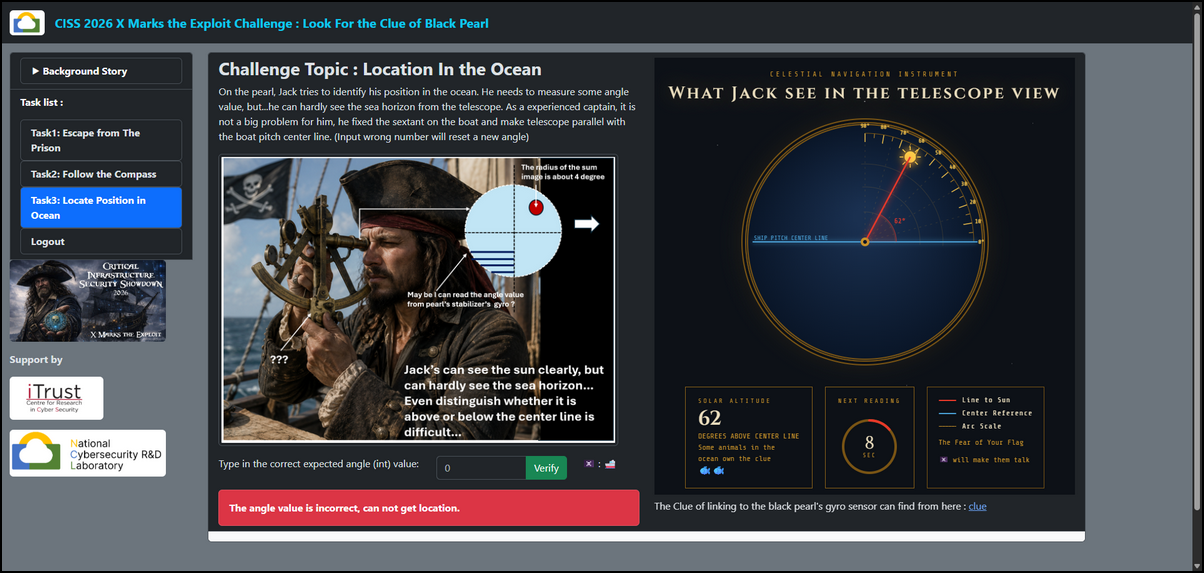
In this challenge, participants must determine the correct sun altitude angle by combining:
-
Traditional sextant navigation techniques
-
Ship attitude data obtained from a gyro sensor
-
IEC 60870-5-104 (IEC-104) protocol analysis
Unlike a normal sextant exercise, the horizon line is intentionally hidden from the telescope view. Participants must retrieve additional information from the vessel's OT systems to reconstruct the true skyline horizon position.
Important: Submitting an incorrect angle will generate a new random sun position and restart the challenge round.
Participants unfamiliar with sextant operation may refer to the following resources:
-
Sextant Tutorial: https://www.seashelf.co.uk/blog/sailing/how-to-use-a-sextant/
-
Video Tutorial: https://youtu.be/MEN6I9_VlFk
The target is to calculate the angle between the sun and the horizon line based the horizon line is not marked in the telescope.
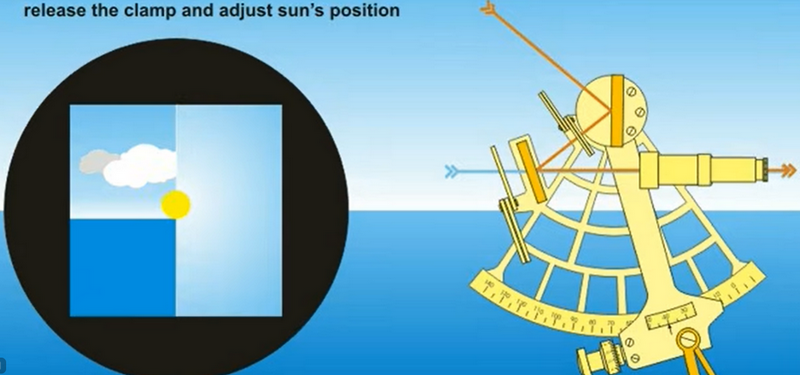
3.1 Reading Ship Pitch Data from the Gyro Sensor
The challenge description hints that the missing horizon information can be obtained from the vessel's gyro system.
To determine the true horizon location, participants must obtain two values:
-
Horizon Position Flag : Indicates whether the horizon is above or below the center reference line
-
Horizon Offset Angle : Angular difference between the center reference line and the actual horizon
The ship attitude information is available through the simulated IEC-104 server.
3.1.1 Required IEC-104 Data Types
The challenge uses two IEC-104 measurement point types:
| Parameter | IOA Type | Data Type | IEC104 Type |
|---|---|---|---|
| Horizon Position Flag | MP | Boolean State | IEC104.Type.M_SP_NA_1 |
| Horizon Offset Angle | MP | Floating Point | IEC104.Type.M_ME_NC_1 |
The participant can use this lib to build their IEC104 data IO client: https://github.com/LiuYuancheng/PLC_and_RTU_Simulator/tree/main/IEC_104_PLC_Simulator. To identify the IEC104 PLC station address, check the clue in the web page:
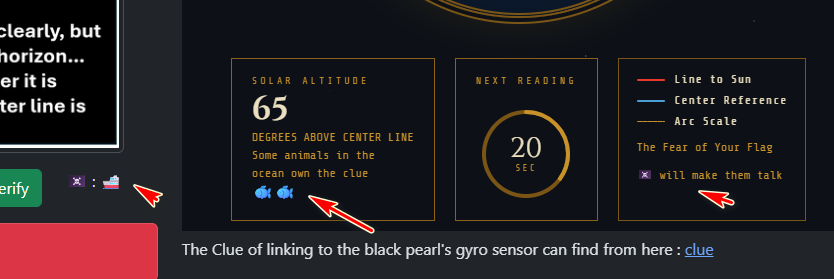
The clue left shows the symmetric block cipher is encrypted by two fish encryption.
Then find the key from the pirates flag emoji :
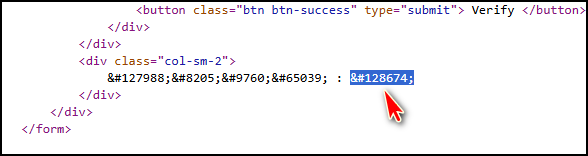
Use a simple 2 Fish decryption program
from twofish import Twofish
T = Twofish(b'🚢')
with open("encryptedData", "rb") as binary_file:
    data = binary_file.read()
    print(T.decrypt(data).decode())
Then get the result Station1407IOA##, identify that the station address is 1407 and the IOT is 2 digital numbers. A simple discovery approach is to loop enumerate available stations and IOA addresses until valid values are found. The required data points are:
STATION_ADDR = 1407
PT1_ADDR = 11
PT2_ADDR = 12
client = iec104Comm.iec104Client('127.0.0.1')
client.addStation(STATION_ADDR)
client.addPoint(STATION_ADDR, PT1_ADDR, pointType=M_BOOL_TYPE)
client.addPoint(STATION_ADDR, PT2_ADDR, pointType=M_FLOAT_TYPE)
Using the example solution (solution3.py), participants can retrieve the current gyro measurements.
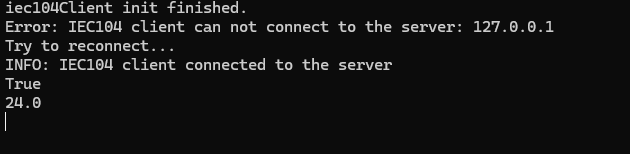
Horizon Above pitch Center Line : True  # The horizon is located above the telescope center reference line.
Offset Angle : 24.0  #The vertical offset is 24 degrees.
3.2 Calculating the Sextant Reading
Once the gyro data has been retrieved, the true horizon position can be reconstructed.
Consider the example shown in the section 3.1 :
-
Sun Angle from Pitch Center Line (web telescope UI) = 32°
-
Horizon Above Pitch Center Line (IEC104 server) = True
-
Horizon Offset (IEC104 server) = 24°
Then we can get the view line diagram as shown below :
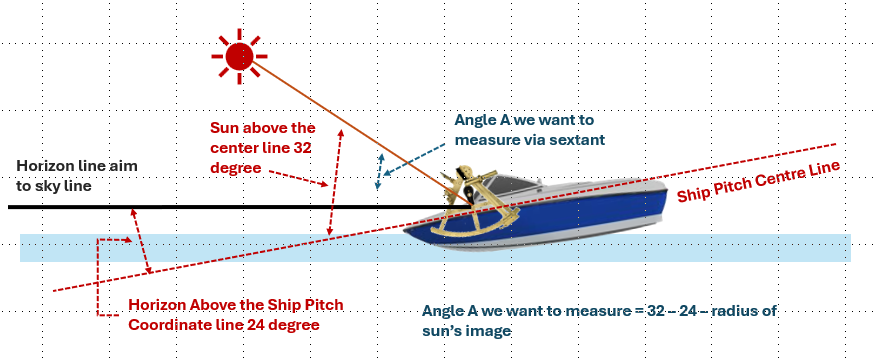
The sign of the correction depends on the horizon position:
-
Horizon Above Ship Pitch Center Line (True) : Sun Angle − Offset
-
Horizon Below Ship Pitch Center Line (False): Sun Angle + Offset
In this example the result will be : 32° - 24° = 8°, then we fill in the number 56 in the text field before the 60sec time used up and press the button.
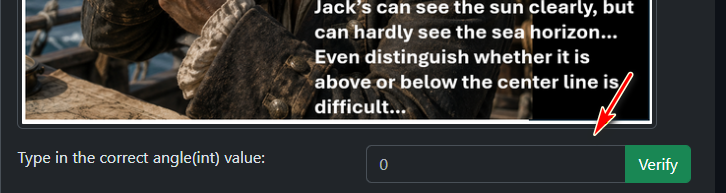
But...We still got the "Angle value is incorrect, can not get the location" error as shown below:
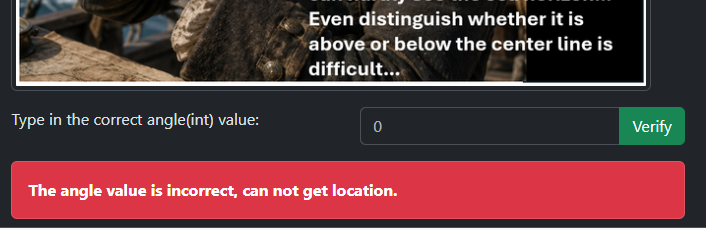
So what is missing?
3.3 Understanding the Sextant Usage and Solving the Challenge
The answer can be found by carefully reviewing how a sextant is used. If you read the usage of sextant carefully, by physically moving the Sextant, the Sun's image should just touch the horizon line (not the center). The Sun's altitude can then be taken with the scales on the sextant as shown below:
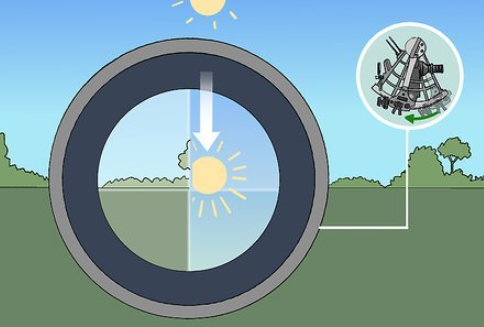
This value represents the angle between the ocean horizon and the lower edge of the sun, which is the quantity measured by a real sextant.
Therefore, an additional correction must be applied. Observing the right side pirates image shows that the a hint about sun has a visible radius of approximately:
The radius of the sum image is about 4 degree
To obtain the correct sextant reading, subtract the apparent solar radius: 8° - 4° = 4°
Start a new challenge round and repeat the calculation process, Entering the correct sextant reading reveals the challenge flag and unlocks Task 4 – Balance the Ship as shown below:
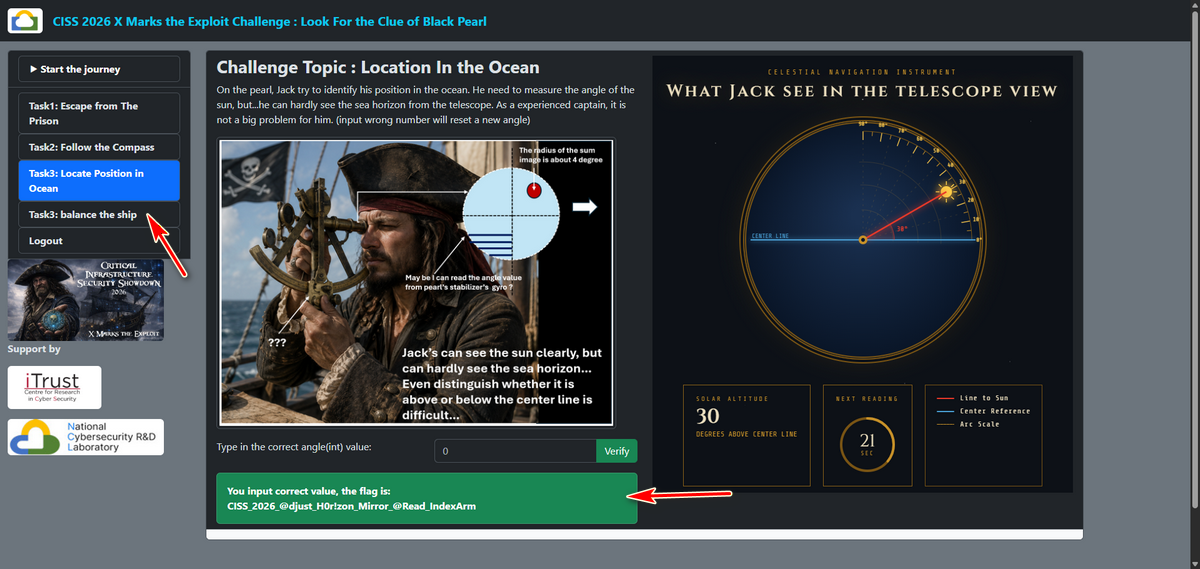
Flag of the Task3 is : CISS26{@djust_H0r!zon_Mirror_@Read_IndexArm}
Task 4 – Balance the Ship
Opening the Task 4 page displays a real-time ocean wave visualization on the left side of the screen. The ocean wave pattern is regenerated every 60 seconds. A new wave state will also be generated whenever participants attempt to fire the cannon before correctly stabilizing the ship.
4.0 Task Introduction
Captain Jack, Barbossa's the battle ship is closing, you need to fire the canon, but the ocean wave is so strong, you need to balance the ship first. The black pearl has a ship stabilizer, you can read the ocean wave's state from the let, there are 12 hydraulic you can control, change the angle to against the wave, then you can fire the canon. before you start, you need on the power of the 12 hydraulics, the controller are same and once one the power you don't need to worry about it
The Black Pearl is equipped with a hydraulic stabilization system consisting of twelve independently controlled hydraulic pumps. Each hydraulic pump corresponds to a specific location along the hull and can be adjusted to counteract the effect of the ocean waves.
After opening the page, the following challenge interface will be displayed:
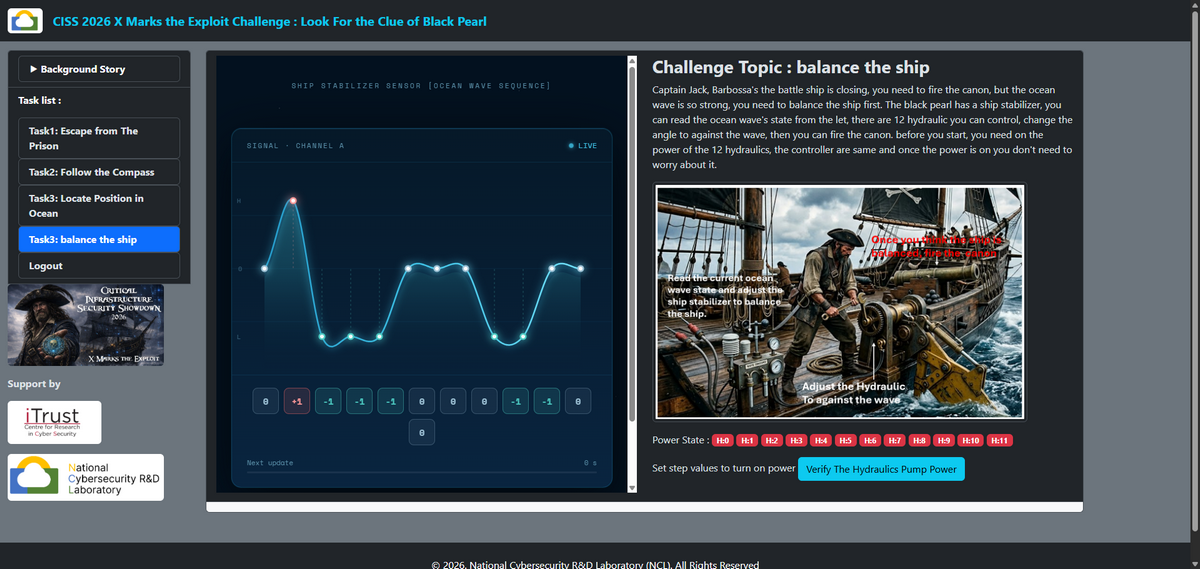
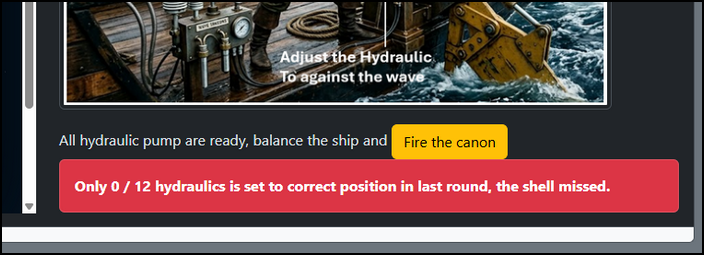
When the participant press the button "fire the canon", the card below will show that in the last time setting how many hydraulic pumps were set correct.
4.1 Understanding the Wave Stabilization Rules
At the bottom of the wave page, a hint provides the relationship between wave conditions and stabilizer commands as shown below:
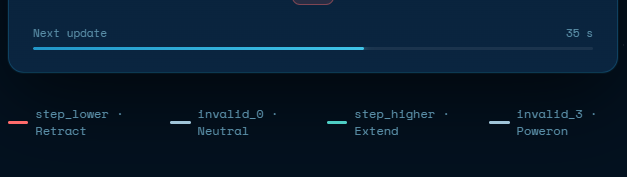
The first task is to turn on the power, we can see that invalid_3 is used for turn on the power
| Ocean Wave State | Balance Hydraulic State | Required IEC-104 Command | Value needed |
|---|---|---|---|
| Wave Crest | Retract | Changeable point step lower | c104.Step.LOWER |
| Wave Trough | Extend | Changeable point step higher | c104.Step.HIGHER |
| Wave Center | Neutral | Changeable point invalid_0 | c104.Step.Invalid_0 |
The goal is to make the hydraulic stabilizer oppose the wave shape. In other words:
-
When a section of the ship is lifted by a wave crest, the stabilizer should push downward .
-
When a section of the ship is positioned in a wave trough, the stabilizer should push upward.
-
When the sea level is neutral, no adjustment is required.
4.2 Discovering the Hydraulic Control Points
The challenge uses IEC 60870-5-104 (IEC-104) control points to manage the hydraulic stabilizer system.
Participants must identify the Information Object Addresses (IOAs) associated with the twelve hydraulic pumps.
Run the init all function and get the station address 821
client.on_new_station(new_station)
client.on_new_point(new_point)
con = client.add_connection(ip='127.0.0.1', port=2404, init=c104.Init.ALL)
con.on_receive_raw(rx)
con.on_send_raw(tx)
print('start')
client.start()
time.sleep(1)
print('connected', con.is_connected, 'stations', con.stations)
By probing the IEC-104 server and enumerating available control points, the following continuous IOA range can be discovered:
H0_ADDR = 103 # measured float val 1
H1_ADDR = 104 # measured float val 2
H2_ADDR = 105 # measured float val 3
H3_ADDR = 106 # measured float val 4
H4_ADDR = 107 # measured float val 5
H5_ADDR = 108 # measured float val 6
H6_ADDR = 109 # measured float val 7
H7_ADDR = 110 # measured float val 8
H8_ADDR = 111 # measured float val 9
H9_ADDR = 112 # measured float val 10
H10_ADDR = 113 # measured float val 11
H11_ADDR = 114 # measured float val 12
Each IOA corresponds to one hydraulic pump shown on the wave diagram.
Participants can use the supplied IEC-104 simulator library together with the example implementation in solution4.py, Try to turn on the power by set the address to value c104.Step.Invalid_3, then press the button "Verify the Hydraulic Pump Power" :
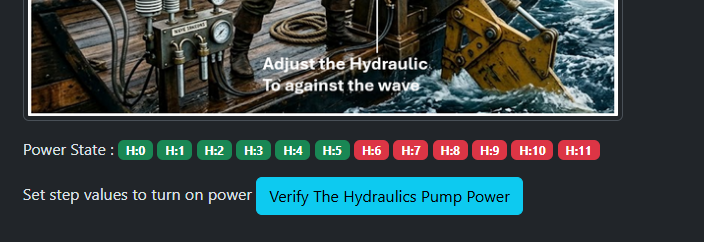
Then You can see that the correct power indicator will change to green color. If we turned on all the power of the 12 hydraulic pump, the button side will change to below state will the fire canon button:
4.3 Mapping Wave Shapes with IEC104 Control Commands
Start a new challenge round and observe the wave profile displayed on the web page, for each hydraulic location, determine whether the corresponding wave position represents for example :
Wave Position 1 -> Crest  -> Step Lower
Wave Position 2 -> Center -> Invalid_0
Wave Position 3 -> Trough -> Step Higher
Reverse the hint string and get the hint
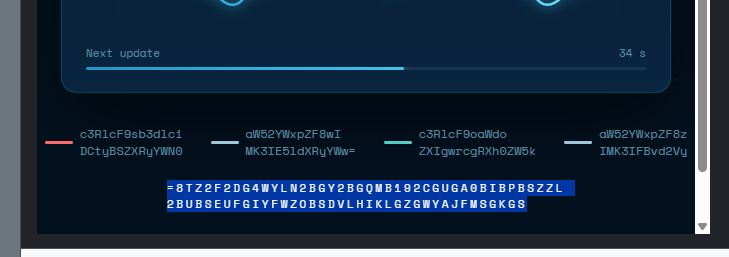
Decode the message to get the hint contents
Hi Jack, did you hear any noise in the sound of ocean wave?So we need to find a audio file, download the audio file from the new link
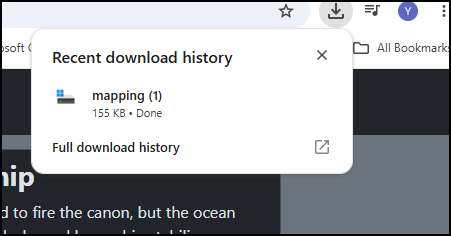
Download the audio file "mapping" and use some file type detection program to check the file type:
The file is a WAV audio file:
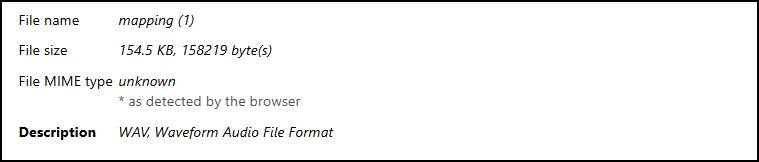
Change the file name (mapping.wav) and play it to check the audio file, then use the mouse code decoder web : https://morsecode.world/international/decoder/audio-decoder-adaptive.html to get the information:
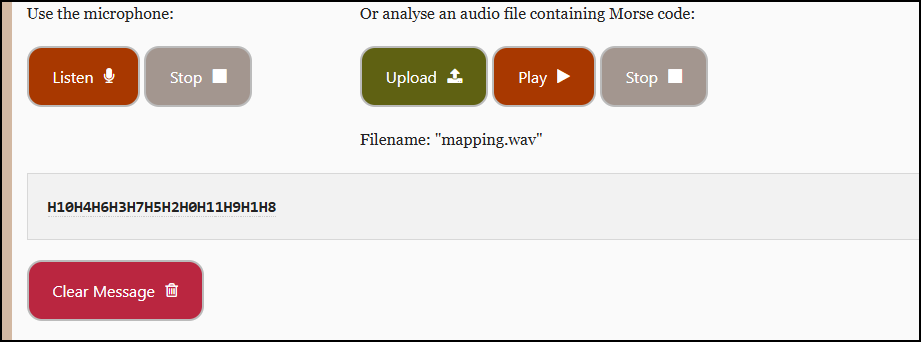
Then get the memory IOA sequence:
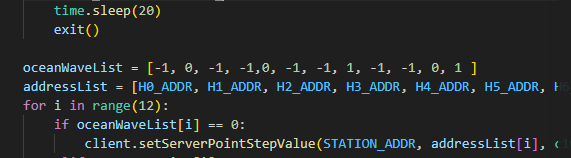
H10H4H6H3H7H5H2H0H11H9H1H8Then cover the sequence:
[H10_ADDR, H4_ADDR, H6_ADDR, H3_ADDR, H7_ADDR, H5_ADDR, H2_ADDR, H0_ADDR, H11_ADDR, H9_ADDR, H1_ADDR, H8_ADDR]As shown in the solution4.py :
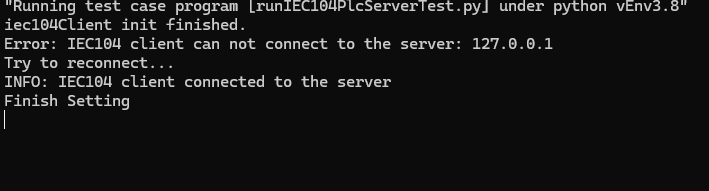
Once the hydraulic commands have been configured, execute the IEC-104 control program before the 60-second timer expires.
After all commands have been transmitted, return to the challenge page and click the button Fire the Cannon
4.4 Completing the Challenge
When all hydraulic pumps are configured correctly, the vessel is successfully stabilized and the cannon can be fired accurately.
The challenge flag is then displayed on the page.
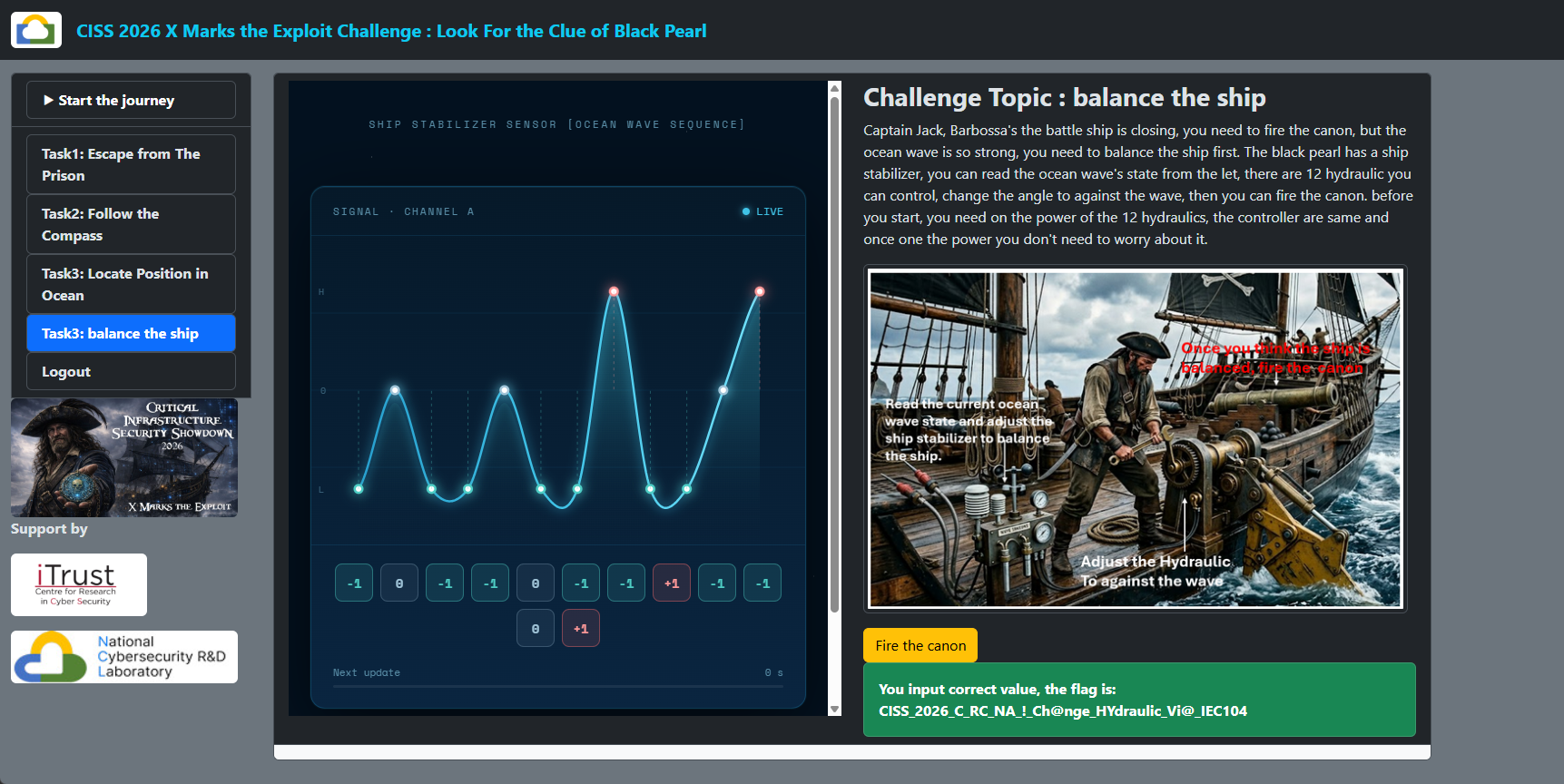
Flag of the Task4 is CISS26{C_RC_NA!Ch@nge_HYdraulic_Vi@_IEC104}
Thanks for spending time to check the article detail, if you have any question and suggestion or find any program bug, please feel free to message me. Many thanks if you can give some comments and share any of the improvement advice so we can make our work better ~
Last edit by LiuYuancheng([email protected]) at 16/06/2026, if you have any problem, please send me a message.

No comment for this article.