
Slack is a popular work collaboration tool and it provides many features which help teams collaborate. It has one function which allows sending messages to channels from external source such as your own web service -- Incoming Webhook. This is extremely useful when want to monitor something and get notified when some event occurs and it doesn't require complicated setup.
To send messages using Incoming Webhook, a service URL has to be generated on Slack and then the message can be posted to this URL and it will be posted on your team channel.
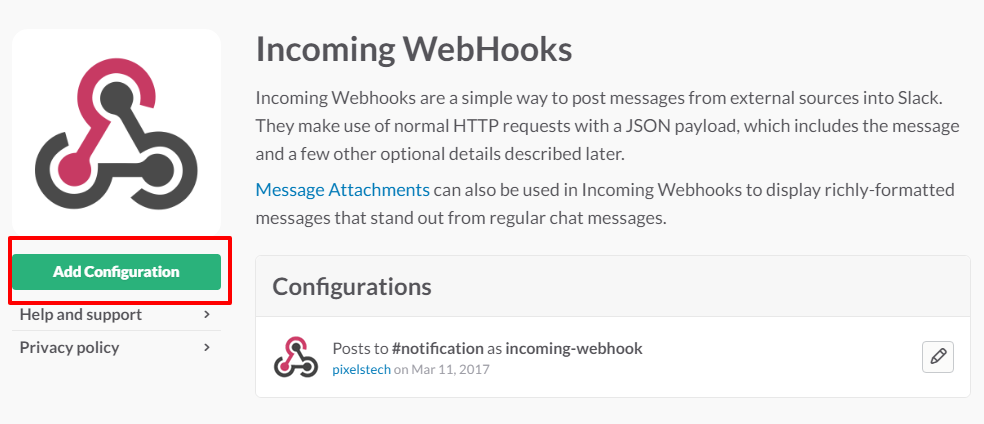
After clicking "Add Configuration", the process for generating the service URL will begin. The final URL generated would look like.
https://hooks.slack.com/services/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
Message can be posted to this URL now. In PHP, cURL can be integrated easily for this.
$msg = "Message to be sent to #notification channel"
$url = "https://hooks.slack.com/services/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";
$useragent = "Mozilla/4.0 (compatible; MSIE 5.01; Windows NT 5.0)";
$payload = 'payload={"channel": "#notification", "username": "webhookbot", "text": "'.$msg.'", "icon_emoji": ":ghost:"}';

$ch = curl_init();
curl_setopt($ch, CURLOPT_USERAGENT, $useragent); //set our user agent
curl_setopt($ch, CURLOPT_POST, TRUE); //set how many paramaters to post
curl_setopt($ch, CURLOPT_URL,$url); //set the url we want to use
curl_setopt($ch, CURLOPT_POSTFIELDS,$payload);

curl_exec($ch); //execute and get the results
curl_close($ch);
The data to be posted is a JSON formatted payload which is
payload={"channel": "#notification", "username": "webhookbot", "text": "'.$msg.'", "icon_emoji": ":ghost:"}
In addition to plain text, rich text which contains links can also be sent. The details for the payload information can be found the Incoming Webhook API.

No comment for this article.