
Normally after installing Java, there will be an association between .jar and the javaw.exe. This enables the executable jar to be opened on double click. You can check the association by going to Control Panel -> Programs -> Default Programs -> Associate a file type or protocol with a program.
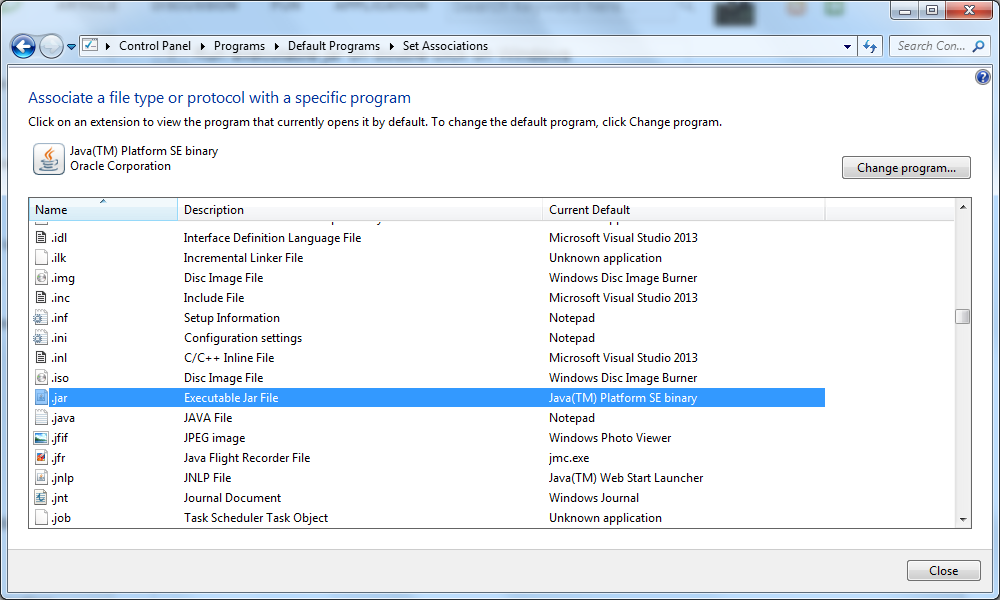
The default program of a file type can be changed in this dialog. However sometimes there are cases where the file association for .jar may be altered after a third party application installed. The executable jar may not be able to be started normally post that and it still doesn't work even after uninstalling the third party application.
Ideally, following steps can be followed to change the default program back to javaw.exe to run .jar file.
- Start "Control Panel"
- Click "Default Programs"
- Click "Associate a file type or protocol with a specific program"
- Double click .jar
- Browse C:\Program Files\Java\jre[version]\bin\javaw.exe or C:\ProgramData\Oracle\Java\javapath\javaw.exe
- Click the button Open
- Click the button OK
If somehow this method doesn't work. You need to reinstall Java and then restart the computer and the problem should be resolved.
Also, below command should always work and it can be put in a BAT file and then the batch file can be executed to invoke the jar.
java -jar [JAR_TO_RUN]
Hope this can help someone.

how to shutdown the jar file if i activated it through double click