
I have knowledge on 32-bit vs 64-bit, but not very clear minded.
Here is a good article I found about it.
http://www.techsupportalert.com/content/32-bit-and-64-bit-explained.htm
Understand there are 3 things involved: CPU, OS and application.
To work on 64-bit, first thing first is: you need a 64-bit CPU. 64-bit CPU usually provide emulation for 32-bit system. Though some 32-bit application still cannot run on 64-bit OS, because they might contain 16-bit code.
32-bit system won't have compatibility for 64-bit application. Also 32-bit CPU won't run 64-bit OS or application.
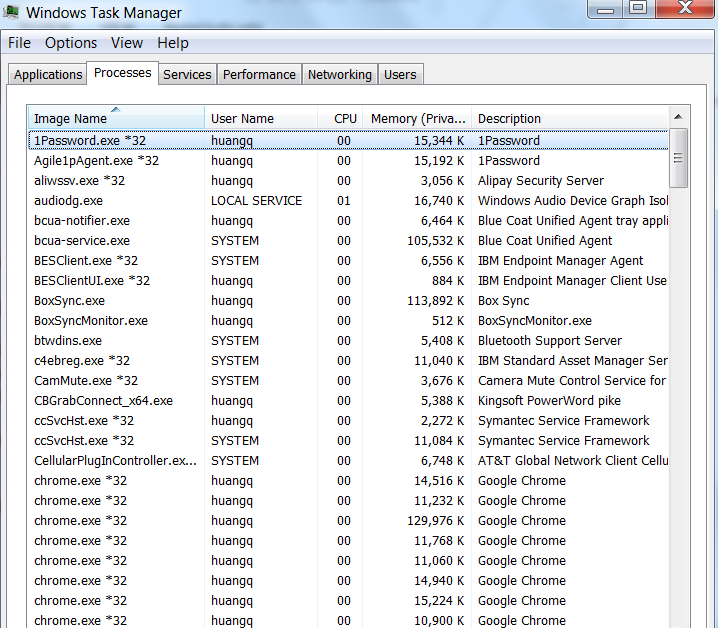
In windows, you can check whether an application is 32bit in Task Manager. Those process with "*32" suffix is 32-bit application. Wow, I didn't realize there are so many 32-bit applications in my system.

No comment for this article.